The app
The Mac app starts the radios, records a session and judges it, live and on a recording. This page goes through it screen by screen: the window, Settings, New Session, a live session, the six panes in the order of the sidebar, then playing a recording back, the export and shutting the sensor down. What the verdict means is in Reading the verdict; this page says what stands where.
The window
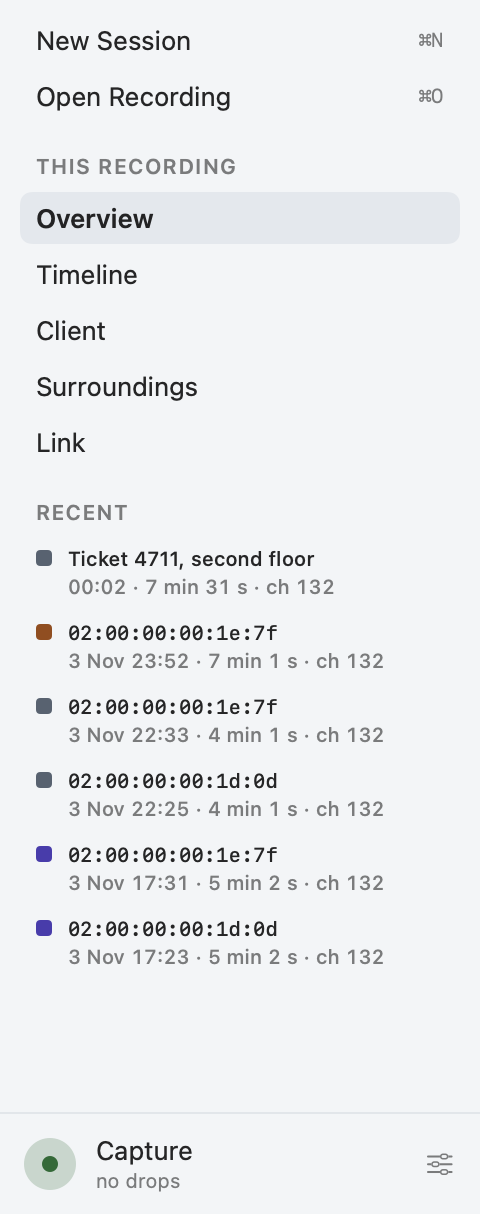
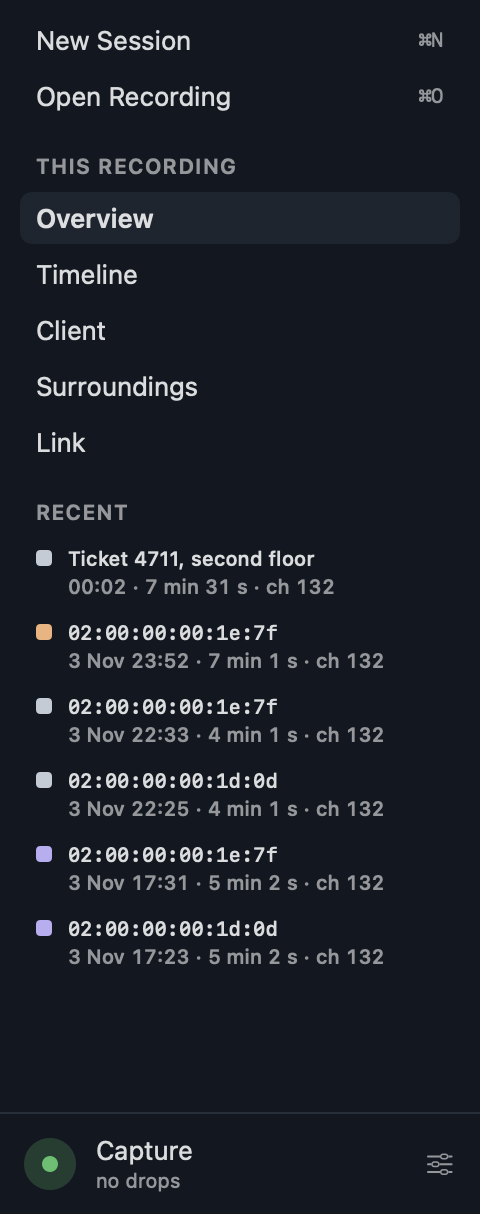
The sidebar is words on rows of its own, not the system's list, without icons:
- New Session and Open Recording, with their shortcuts.
- Under "This recording" ("Recording" while the radios capture) the session's panes: Overview, Timeline, Client, Surroundings and Link. The chosen one stands on the selected fill in the semibold. ⌘1 to ⌘6 in the View menu choose a pane, Capture the sixth.
- Under "Recent" the recent recordings of the recording folder, newest first. Each has a square in its outcome's color, its label or its client's MAC address, and under it when it started, how long and on which channel. A click opens one; its menu is the one on the start.
- At its foot the sensor while the radios capture, with its frames per second per radio, or otherwise the capture's drops. It opens Capture, how the session was recorded, with Settings beside it.
The window's title names the session on screen the same way, its folder's name only for a recording without a client.
Each pane has its title and its tabs, which hold the expert information; a pane opens on the tab it was left on. Beside each pane's title the path in small, client → RF environment → AP → upstream, outlines the part of the path the pane shows and tints the verdict's zone in its outcome's color: the Timeline all four, Client the client, Surroundings the RF environment and the AP, Link the RF environment.
The start
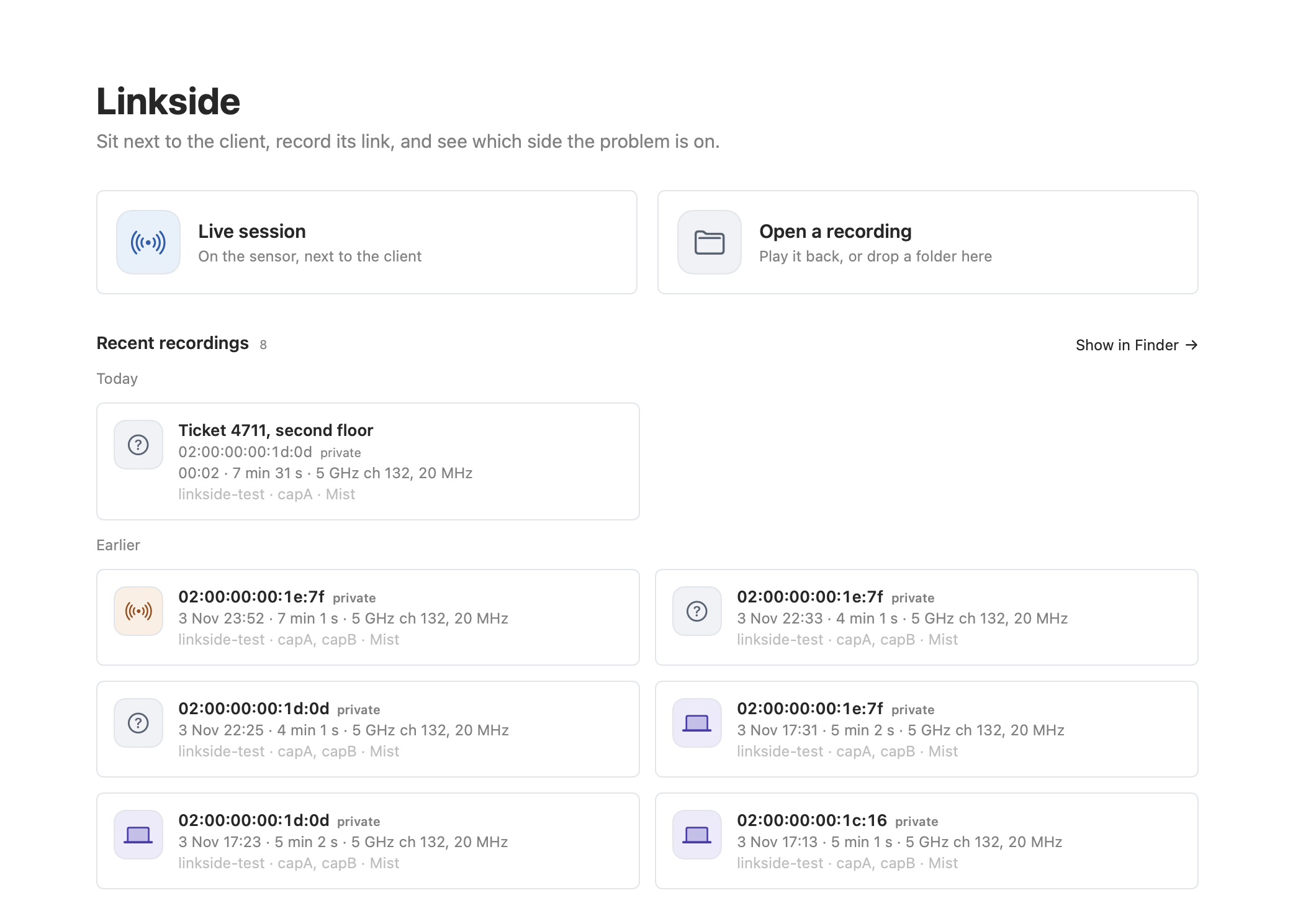
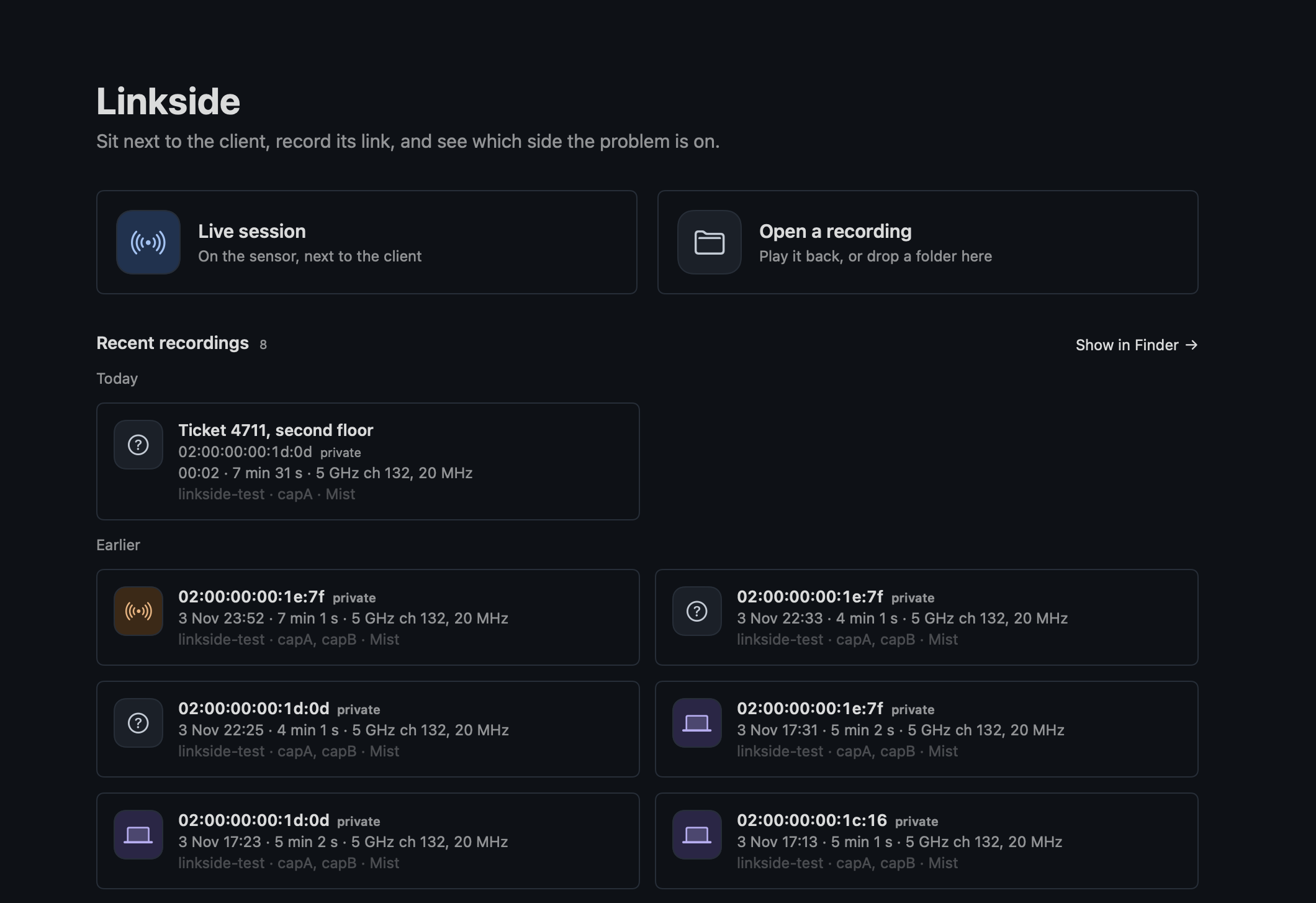
Without a session the window shows the start: Live session and Open a recording as two cards across the column, Live session in blue, and under them the eight newest recordings as cards in two columns, in a group Today and a group Earlier. A group without recordings is left out.
A card holds:
- The client by its MAC address from
session.json, with colons, "private" beside a locally administered one (valid on that network only), not by a hostname, which geteduroam and the devices' defaults make no way to find the client. A recording without a client has its folder's name. - The start and the length (
11:06 · 56 stoday,25 Oct 21:21 · 14 min 31 sbefore) and capA's serving channel, or "no lock". - The SSID the client was on, the radios that captured and the controllers' data the recording holds (
eduroam · capA, capB · Mist). - The icon and color of its verdict's outcome, the color the Overview's path lights its zone in, with the headline and the folder's path in its help.
Its menu has Show in Finder, Rename… and Move to Trash:
- Rename… gives the recording a label of the operator's own ("ticket 4711, second floor"), the card's title with the MAC address on the line under it, kept in
session.jsonand not in the folder's name. An empty label removes it. - Move to Trash is not offered for a recording open in a window or still recording.
The start cannot decode eight recordings to judge them. The outcome and the SSID are the ones the app wrote into session.json (a hidden or unknown SSID none) when the session finished, again with each of Mist's polls after Stop, or when a replay of it reached the end, with that build's rules. A recording judged before 2026-10-26, or never opened in the app, keeps the waveform and has no SSID until it is opened.
How the screens read
The look. Cool neutrals, a white page (near-black in dark) divided by hairlines rather than cards, everything on the page's color with a hairline where it has an edge, not the system's gray: the toolbar and its controls, the sidebar's toggle among them, without the glass of macOS 26, the bar of a way out that waits, the buttons (Start and Apply, the default actions, on the accent), the pop-ups, the checkbox, the text fields, the tables, the popovers, New Session's lists and Settings' sections. Only the alerts, the menus and the replay's slider are the system's. Cards only for what is clicked on the start and in New Session. The titles and the verdict are in a bold SF Pro, no serif, in light and dark as the Mac is set.
Words. UI texts are short: no sentence that says what the context already shows. Tabs are words with a line under the chosen one. A quality is a dot and its word, an untested one a hollow dot. A source or a weight is a quiet word, no pill.
Width. The column of a pane is up to 1600 points wide: on a wide window the tables, the charts and the time axis take the width, and running text keeps a line of at most 820 points. With scroll bars that take width (a mouse, or Show scroll bars: Always) every pane keeps the bar's width at its right, shown or not, so a page that grows past the window does not move to the side.
Values. Every pane writes a value one way:
- A signal in whole dBm and a difference in dB with at most one decimal, negative with a minus sign (−62 dBm), in the hints and the report as well. A value that is not a number is "–".
- A time of day as HH
 ss, with milliseconds only in the Events table and the handshakes, and the seconds since the start only in an entry's detail.
- A channel as "5 GHz ch 36, 80 MHz".
- A rate as "HE MCS 7, 2 SS, 20 MHz, GI 0.8 µs".
Time. The toolbar's clock reads m:ss from the start. Every time axis gives the Mac's clock time on round times: every 1, 2, 5, 10, 15 or 30 s or minutes, the shortest step with at most six ticks.
Bands. Teal (2.4 GHz), magenta (5 GHz) and violet (6 GHz): no green, red or amber, which are the statuses' colors.
Settings
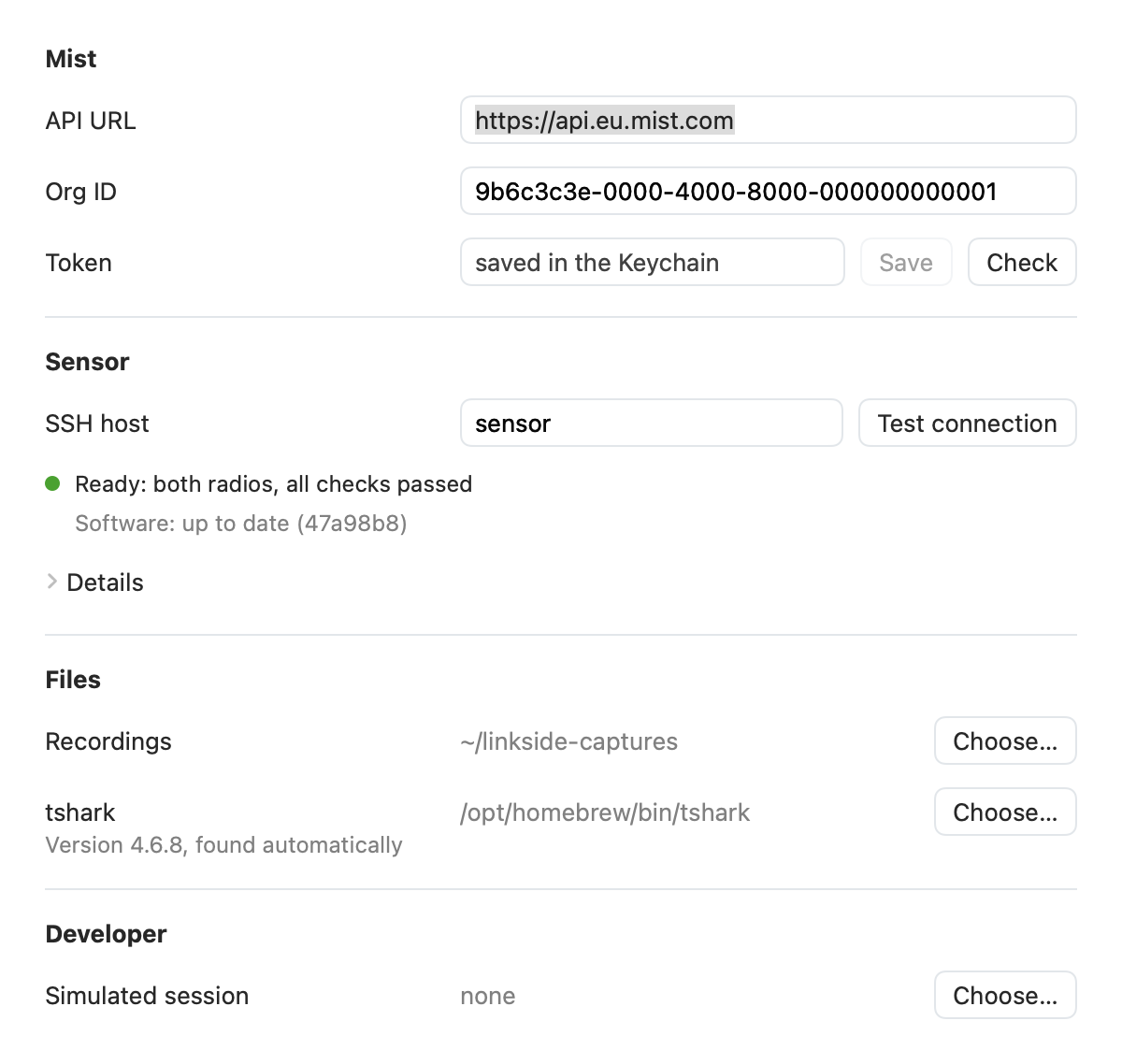
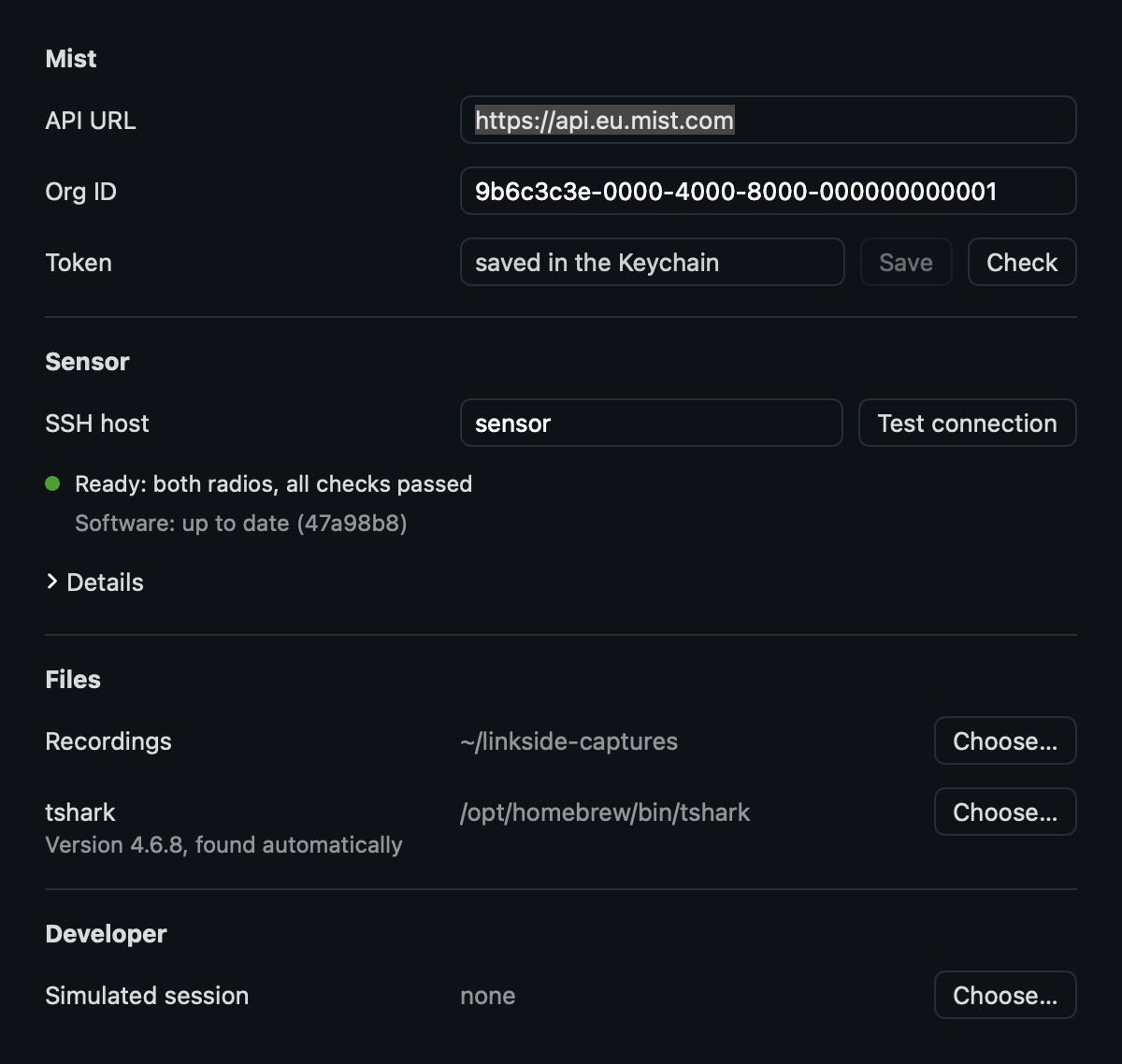
Settings (⌘,) has the sections Mist, Sensor, Files and Developer. Every row has its label on the left and its value in one column of one width: the text fields, left-aligned with a border, the paths (the home folder as ~, cut in the middle) and the buttons start on one line. The window is as tall as its sections, up to 860 points, beyond which an open Details scrolls.
Mist
- API URL and org ID: Mist's API URL (
https://api.eu.mist.com) and org ID, each entered as such. An older build's portal URL becomes the two once; a portal URL pasted as the API URL is refused by name. - Token: the API token, Observer or higher. It is saved in the app's own data protection keychain, so a rebuild of the app reads it without asking for the login keychain's password. A token in the login keychain, from an older build or
linkside-cli mist set-token, moves over on its first read: deleted there first, since a delete of the login keychain's item takes the data protection item of the same name too, then written. Every Keychain status goes to the log, subsystemnl.linkside, categorykeychain. A save replaces the app's own item, and the login keychain's item stays forlinkside-cli. - When it is read: Mist is needed only for a session that finds its client in Mist. The app reads the token once per run, when New Session first chooses Mist, and again after Save. Check without a token says "No token saved yet."
Sensor
The sensor's SSH host. Test connection runs linkside-radio status on it, without up, within 10 s, and tells apart:
- Not reachable, with ssh's own message or the Local Network permission macOS refuses.
- Reachable with the radios not plugged in.
- Not up yet: New Session sets them up, also after a boot when only
only-monitorandrfkillwith soft blocks fail, the driver'swlanXand NetworkManager's soft block, whichupclears. A hard block stays a failure. - A check failed, by name.
- The session that holds the sensor, from another window or Mac.
- The Ethernet below 1000 Mbit/s.
The result is one status line with a colored dot, as New Session's rows ("Ready: both radios, all checks passed", an orange dot for "Ready, in use by …", "Not ready: checks failed: no-ntp", "Not reachable: …"). Under it the software ("Software: up to date (47a98b8)", or the sensor's version and the one this app carries when they differ), and under Details the sensor's kernel, firmware and version, this app's build, the sensor sources it carries and the output of linkside-radio status.
The sensor's software is held against the app's, by the interface number:
- Too old for this app is "not ready" with both numbers, with Update Sensor.
- An older interface or another build is a line, with Update Sensor.
- Newer than the app is a line to update the app, without the button.
- Too old for Update Sensor, from before the number, is a line to install its sources by hand once.
- An install cut off (
install=incomplete) is "not ready" too, with Update Sensor unless the sensor is newer than the app.
Update Sensor
Update Sensor holds the sensor for its whole run, as a session does, and reads its software again under the hold. It is refused with the holder named while a session or another update holds it, and refused for a sensor newer than the app; nothing is installed for one already at the app's sources.
It shows its step while it runs (sending the sources, building linkside-cap, installing), then runs Test connection again, which names the new version. Its result stays beside the button: a failure with the step and the sensor's last line and its output under a disclosure, a connection lost during a step that alone ("Connection lost during the install": with the cable out the sensor runs the step on, and the check after it shows where it stands), and Restart Sensor where the install changed a boot setting.
Files
The folder for recordings, and tshark: its path as the value and under its label the version and whether it was found automatically ("Version 4.6.8, found automatically"), with Choose…. A tshark that fails has its reason in red under it: too old, a field it lacks, frames of the reference capture it holds back while its input is open, or a frame it decodes otherwise than tshark 4.6.8, by frame and field (getting started).
Developer
A simulated session: a simulated sensor plays a recorded session as live, to try the flow without hardware.
New Session
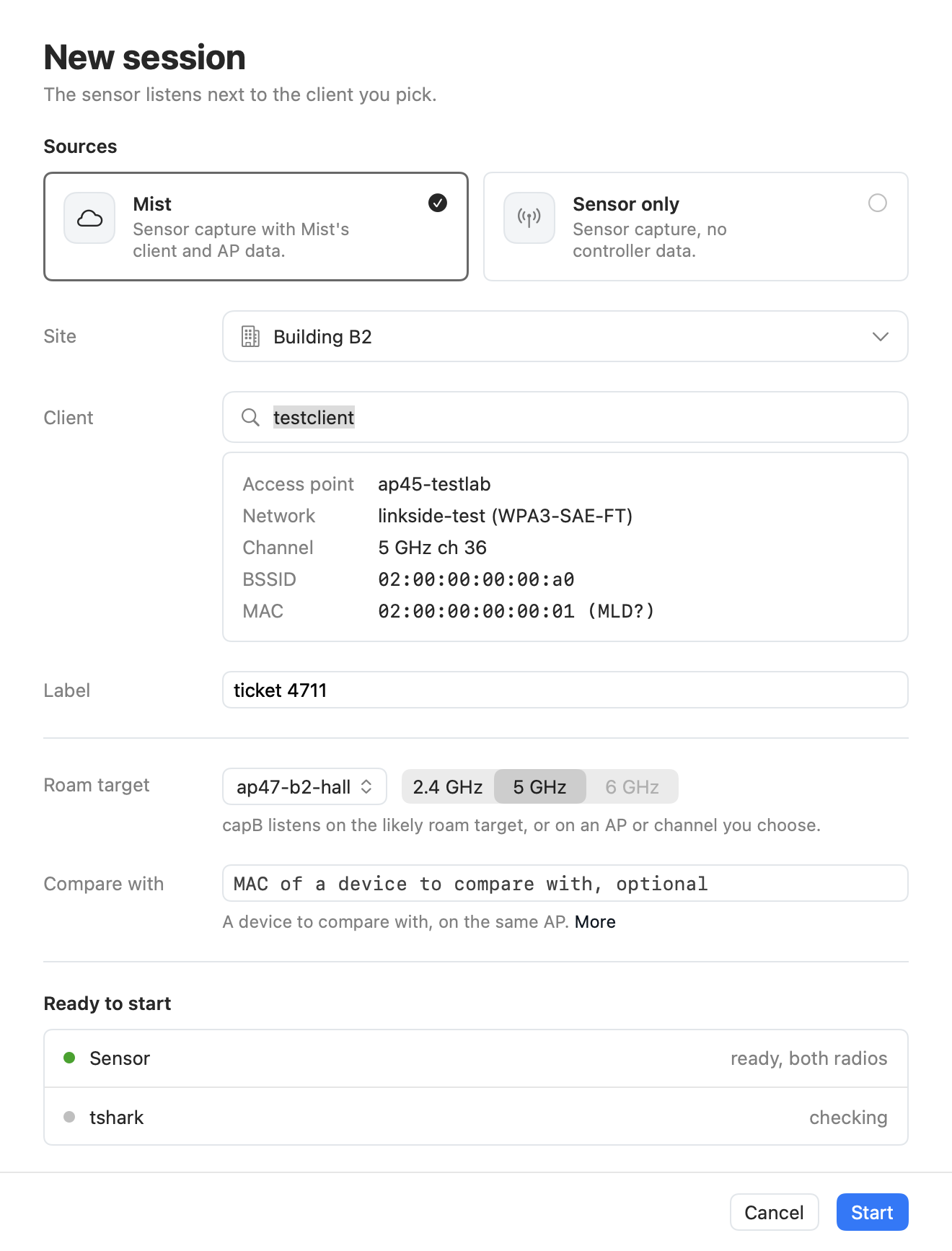
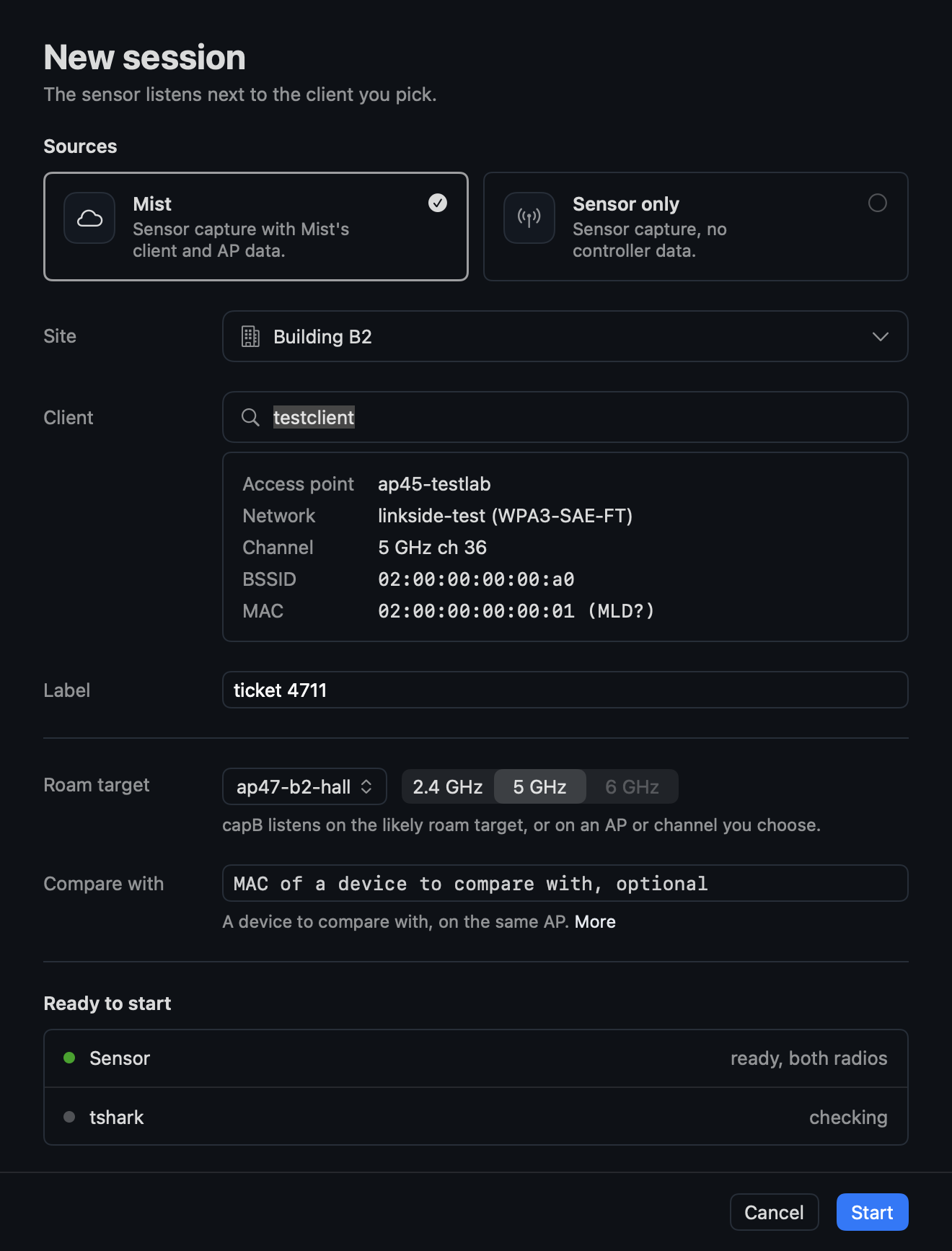
File > New Session… (⌘N) first asks for the sources:
- Mist: "Sensor capture with Mist's client and AP data.": a site, remembered, then one search field.
- Sensor only: "Sensor capture, no controller data.": the client by its MAC address alone, a choice that reads no token and asks Mist nothing.
A card for Aruba Central joins them once that controller is built. The sheet starts with the last choice where Mist is set up. A Mist that is not set up or refuses the token is a line under the choice with Settings, and the MAC choice stays open.
Every row of the form has its label on the left and its field on the right, one label column and one field width for all, with a help line under its field that says what the field is for, the same whatever is entered. With Mist the rows are Site, Client (the search and its results under the field), Label, Roam target and Compare with; with Sensor only MAC address, Channel (with the width menu), BSSID, Label, Roam target and Compare with. The sheet is as tall as its content, up to the window's height, and scrolls only beyond it.
Why Start is not yet possible ("Choose a client.") stands beside Start. With Mist chosen Start waits for a site, a client and Mist's answer on that client ("Reading the client from Mist."), whatever it is, a failure among them, for at most 5 s: without the client's channel capA has to search, and with Mist not answering it goes on without. Stats that come later still count.
The site and the client
The sheet opens with the focus in the search field with Mist, in the MAC field with Sensor only. The site list opens with it in its filter, to type a part of the site's name, and gives it back to the search field when it closes, by a site chosen or the site button again.
The search field takes a hostname, a user name or a MAC address, also a part of one:
- The text goes to Mist's client search on both the hostname and the user name, with wildcards around it (a full MAC on its own field), which also finds a client gone a while.
- It also goes to the site's connected clients (
sites/{site_id}/stats/clients, the first 1000, fetched at most every 30 s, also after a failure, stretched by the rate budget's pacing), matched on a part of their MAC address, hostname or user name, as the search cannot: it refuses a wildcard on the MAC. - The results go together by MAC: of a client in both the entry Mist saw last, with the other's hostname and user name where it has none, the newest first.
- A short query at a campus site matches hundreds of connected clients. The list shows the newest 50 with how many matched under it ("120 clients match, the 50 seen last shown: type more to narrow the list."), is as tall as its rows up to some seven, and scrolls beyond, so the fields under it stay in sight.
stats/clientsgives no hostname for a phone the search names (the Mist test site, 2026-10-26). For a connected client without one the search by its MAC gives it, at most five new ones a search, each MAC until Mist answers; a MAC whose search failed waits for the next fetch of the connected clients.- A full MAC shows a first row "Use aa
 cc:dd:ee:ff", also while the search finds nothing: Mist then polls that MAC on the site as typed. One that finds exactly one client selects it at once.
A client chosen, by a click or by its full MAC, closes the list. The field shows its hostname (its MAC without one), with Mist's facts of it (Access point, Network, Channel, BSSID, MAC) under it. Typing in the field again, or clearing it, lets go of the client and opens the list again, so Start never takes a client out of sight.
The label
Under the client an optional Label ("Ticket or note, optional") names the recording. It goes into session.json with the session's first write, which Rename… changes later, names the session in the window and on the start, and stands first in the report's session table. The folder keeps its name.
A channel
A channel, of the client without Mist, of the roam target and in Change capB…, is its band, a segmented choice of 2.4, 5 and 6 GHz as an AP's band, then its number ("36") and the width menu: Auto or 20 to 160 MHz with the widths the band has not disabled (2.4 GHz up to 40 MHz; a width it has not goes back to Auto when the band changes), the same items on every band so the menu keeps its size.
The band is never guessed from the number, which 6 GHz 1, 5, 9 and 13 share with 2.4 GHz. A number that is no channel of the band holds Start ("Channel 35 is not on 5 GHz."); 6 GHz channel 2 only at 20 MHz.
The roam target
The roam target for capB is one menu: Automatic, then with Mist the site's APs, then Channel, which shows the band, the number and the width on a line under the menu, the band the client's where Mist names it. Without Mist the menu holds Automatic and Channel.
An AP chosen is followed by its band, 2.4, 5 or 6 GHz, a segmented choice with the client's band preselected, the bands the AP does not serve and the one the client is on disabled.
The menu lists the APs with a radio on, with a search on their name: the client's own AP first, for a band steer, where it has another band on, then the APs it hears on the client's band, the strongest first with their RSSI (Mist's RRM neighbors, sites/{site_id}/rrm/neighbors/band/{band}), then the rest by name. Before a client is chosen, and where Mist gives no neighbors, all by name.
Compare with
An own device to compare with ("Compare with", "MAC of a device to compare with, optional", under it "A device to compare with, on the same AP." and More): an own device on the same AP, with traffic, shows whether a loss is the client's, the reference client. The field says when its MAC is the one remembered from the last session, and Clear forgets it.
Ready to start
"Ready to start" lists what blocks a start, the sensor and tshark. The sensor comes from Settings. The sheet checks it, and again every 5 s for as long as it is open, so a Pi still booting turns green by itself and a stick pulled or a cable out while the client is searched shows before Start. Start waits for a ready sensor.
The sensor line says why it is not ready, by what fixes it:
- ssh's own message when the command did not run ("not reachable: Host key verification failed.").
- The Local Network permission when macOS refuses the app the local network, which ssh's connect error does not name.
- The sticks missing or not in monitor mode.
- The checks of
linkside-radio statusthat failed ("not ready: regdomain, no-ntp").
Notes under a ready sensor:
- An Ethernet below 1000 Mbit/s.
- Each radio's USB port against the band it is to listen on, from
speedin the status: USB 2 for 5 or 6 GHz in red, with "move it to a blue USB 3 port", USB 3 for 2.4 GHz as a quiet note, and USB 2 with capB's band not known before discovery (Automatic) as "right for 2.4 GHz only". Start does not wait for the port: a focus on the wrong one goes on, and theusb-porthint marks it a measurement limit, a finding on the Overview, with the port per radio in Capture and the sidebar's foot.
The sensor's software is held against the app's from its status:
- Below the lowest interface the app works with the sensor line reads "software too old for this app" in red, after an install cut off "software install cut off". Start waits ("Update the sensor's software first."), and a row under it gives both numbers with Update Sensor, its step while it runs, then its result, with Restart Sensor where a boot setting changed. The check after it turns the line green.
- An older interface, another build of the sensor's sources (by their version, which a commit outside
sensor/leaves as it was), or a sensor newer than the app is a row of its own under a ready sensor, the first two with Update Sensor. - A session started otherwise, as from
linkside-cli live, on a sensor below the minimum ends after the radio check with "too old for this app", as does one whoselinkside-radiopredates the claim, and on one whose last install was cut off with "cut off".
A sensor in use. The sheet names a session that holds the sensor in a note under the sensor line ("In use by session … from … since …"). A start is then refused with the holder named, and Take Over starts again, ending that session's hold, for a session left behind. The session taken over ends with the one that took it named, keeping what it captured.
tshark. The sheet checks tshark once as well: Wireshark 4.6 or later and every field the decoder reads, again when the path in Settings changes. A tshark that fails holds Start, with the reason and the Wireshark to install in red, and a field check that does not run is a failure, not a pass. Opening a recording that a tshark fails to decode names the same reason before tshark's own error, and a tshark path in Settings that is not there says so.
The Mac's own transmitters. While AWDL runs (awdl0 up, read every 2 s) a row under tshark gives sudo ifconfig awdl0 down with a Copy button, to paste in Terminal: the app cannot run sudo. The Mac's Wi-Fi channel and its Bluetooth are read as well, Bluetooth at most every 10 s, and held against the channels known before Start, the client's from Mist or typed in, and a chosen roam target's:
- The Mac's Wi-Fi overlapping one is a quiet row, "Mac Wi-Fi on 5 GHz ch 36, the client's channel: keep its traffic low while recording" (or "the roam target's channel"), with the warning icon while the Mac has traffic of its own. On a wide BSS the client's channel has the width of its AP's radio in Mist.
- The Mac's Wi-Fi on and not connected is a quiet row, "Mac Wi-Fi on, not connected: it scans".
- Bluetooth on with the client or the chosen target on 2.4 GHz is a row with the warning icon, "Bluetooth on, the client on 2.4 GHz: turn it off".
- While the client's channel or the Mac's radios are not known, Bluetooth among them, a quiet line stands at the foot, "Keep the Mac's own traffic low while recording; Bluetooth off for a client on 2.4 GHz.".
Start waits for none of them, and the live warnings go on from there: the client may roam onto the Mac's channel later, and the Mac's own traffic may start later.
Known differences, left as they are (2026-11-04): with Automatic capB's channel is not known before Start, so no row comes for it, also where capB lands on 2.4 GHz or on the Mac's channel. The row says "the client's channel" for any overlap, also a partial one on 2.4 GHz, such as ch 3 against ch 6. The client's channel and its AP's width stay as Mist gave them when the client was chosen. A channel of 40 MHz on 2.4 GHz or of 320 MHz on 6 GHz counts as centered on its primary, as the app knows no block for it.
A radio check that fails after Start says the same, and offers Reset Radios (usb-reset) only for a missing stick: a USB reset fixes no ssh login and no check. After the reset the session starts again as it was, with Mist and its recording, into the folder of the failed start, no empty one left beside it. Take Over does the same.
A live session
The focus starts without a confirmation: capA's lock follows from the client, and a session nobody confirms still records from the start.
Holding the sensor
A session holds the sensor from before its radio check until its last capture ended (linkside-radio claim): its tunes, sweeps and captures act for it, and the sensor refuses another session's, from another window, the CLI or a second Mac.
The recording
Every live session records into the recording folder of Settings; leaving it asks nothing about saving. What a recording holds: what Linkside processes. Stop ends the recording; a recorded session can be exported and opened as a replay.
Each session records into a directory of its own, named by the minute and the client and reserved at Start, which leaves a hidden .linkside-session in it. Another start for the client in the same minute takes the name with -2, -3, and a capture restart within the session appends to its files.
session.json is written within a second of each change of the captures, tunes, searches and clock model, its end (ended) only by the last write. What can go wrong, and where it shows:
- A recording whose session did not end in it (a crash, the app killed) replays with what it had, the Overview's chip and the report's session table saying "Recording incomplete".
- A recording without
session.jsonsays so the same way ("no session.json"). - A recording whose
mist.jsonthe poller never closed (its last write failed, or the app ended first) says "Mist's last polls not in the recording". - A file of the recording that cannot be written (a full disk, a folder gone) does not stop the session: the Overview's chip names it, and so does the report ("Recording not written").
- One gap is left: a status line that fails to write while Stop ends the captures can come after the session's last check of its recorders, and is then named nowhere. The status file misses its end line without a sign.
Where the radios listen
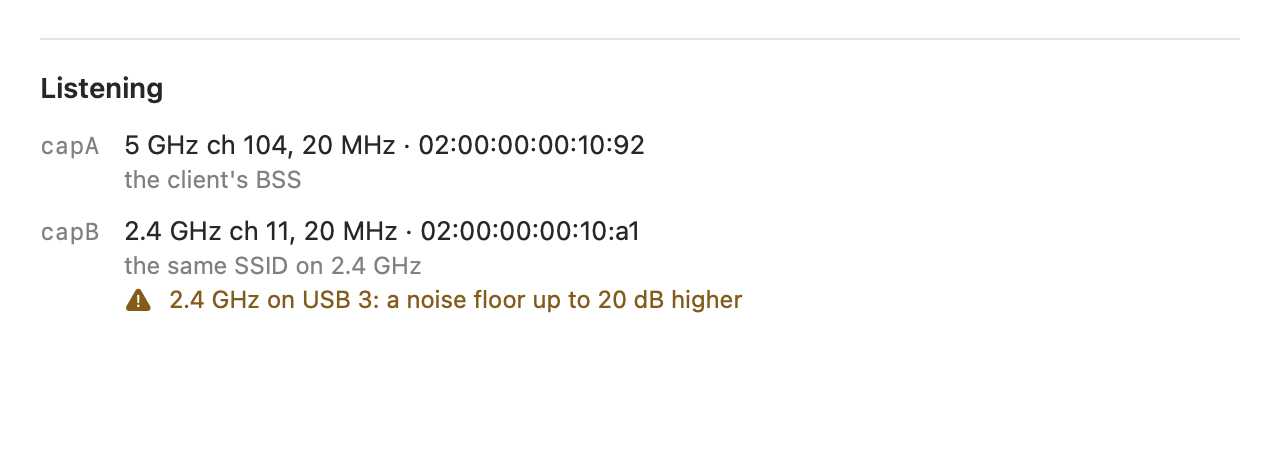
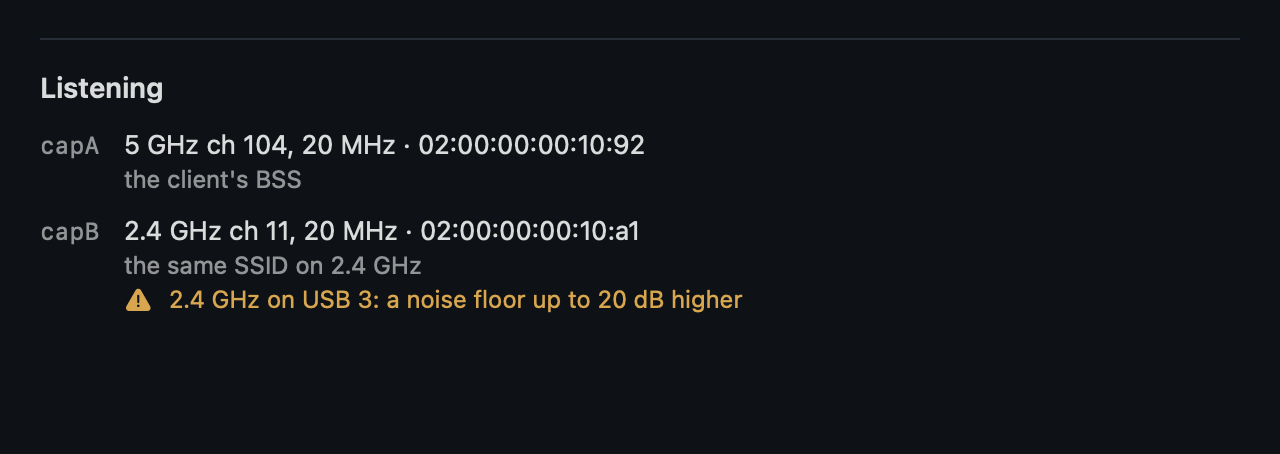
While the radios capture, the Overview's Listening section shows where each listens and why, with no line above the radios' rows but a search or, before a lock, the network and its channel:
- capA on the client's BSS, capB on its target with the reason it was chosen or "chosen".
- After a roam the radio on the BSS the client went to on "the client's BSS" and capA on "the client's previous BSS": the client's serving BSS as the engine has it, a search's find among them, with multi-link its links.
- The BSSID with the AP's name from Mist, the site's APs as New Session had them.
- The warnings, capB sweeping while it has no target, or not in the sensor.
- The own device to compare with, in a few words whether it counts: on the client's AP with traffic, on another AP (no comparison), with too little traffic (start a download on it), or not heard.
"Change capB…" takes Automatic, a radio of the site (the client's own AP on its other bands, then the other APs on the client's band, by name), or a channel as New Session takes it, at any time: capB tunes there at once and the captures start again with the new filter. A choice on capA's channel leaves capB on the planner's own choice, and one made during a search waits for the lock on the client found. The tune goes into session.json with its reason.
A client that may be an MLD address
A client from Mist starts with Mist's address in the normal flow, recorded, Wi-Fi 7 or not: its BSSID is known, so the focus starts at its beacon. So does a client typed in with its BSSID: the address read off a device can be its MLD address too.
When the address sends nothing for 20 s (10 s for a client Mist calls "be"), it is possibly an MLD address, which is in no header. The session switches to the reconnect filter and the Overview's headline says "Not heard on the air", possibly a Wi-Fi 7 multi-link address, and Next asks for the reconnect, until the client's (re)association names its link MACs. A frame from the address itself ends it (a link MAC). Finished without either, the not-heard rule makes it a measurement limit.
Searching for the client
During focus a client that neither radio hears for 60 s is searched for again, the recording going on. The Overview says "Client not seen" from 30 s; an idle phone in power save sent a frame at least every 30 s (roam-u7.md).
- capB goes to the channel the client was last on, for a roam back: the BSS of the last frame it sent to one, not a probe request; after a roam the radios saw, the BSS it roamed to.
- capA goes back to discovery, first on the channel of the BSS Mist places it on, for 20 s, where that is news: another BSS than the one it was lost on, since it was lost, not on capB's channel, from the stats or an event of a join or roam, whichever is newer. Otherwise it sweeps the sensor's channel list.
What counts as a sign of the client:
- A probe request is none: it scans from wherever it is.
- Nor is a frame from a radio listening outside the channel of the BSS it names, for the search and for "Client not seen": a client next to the sensor reaches a radio on another channel in copies 34 to 37 dB down (a9000.md).
- The AP it roamed to is often not in the BSS table, the discovery having stopped on the client's channel. A frame of a BSS whose channel the table does not hold is a sign of the client only from a radio that decoded a PPDU of that BSS above the legacy rates, which no copy is (a9000.md).
- Three frames of the client to one BSS whose beacon is in, or one to the BSS Mist named, find it, not a probe request or response. The radios then lock as after discovery.
The toolbar says "Searching again" and the Overview's status line what each radio tries. Each search goes into session.json (the client's last frame, the start, the frame that found it and its BSS) with its tunes and captures, and into the report's session table. A replay takes the searches from session.json, each from its start.
From the client's last frame to the frame that found it is the sensor's gap, not the client's: a gray band on the time axis, a line of the story when the search starts and one when it finds the client, and the windows across it judge no loss.
Found on another AP than the one it was lost on, the client roamed where the radios did not listen. That AP serves it from the find, also after a request the sensor saw (its data alone does not move the serving BSS then), the story's line reads "Client found on another AP", and the roaming question is untested, "not seen by the sensor", counted as a roam in its readout and in the report. The rules that passed without a roam do not make it Good.
The Mac's transmitters
During the session the Mac's transmitters are held against the channels the radios listen on:
- Its Wi-Fi on an overlapping channel, idle, or on and not connected (it scans), is a quiet chip beside the Overview's headline ("Mac Wi-Fi on 5 GHz ch 40, where the sensor listens"), or "Mac Wi-Fi on the client's AP, 5 GHz ch 40" where the capture shows that AP serving the Mac: a Block Ack, BAR or RTS of it to the Mac's address in the last 60 s, since CoreWLAN gives no BSSID without Location permission.
- Another channel of the band gives nothing.
- The strip at the top warns in red on overlap while the Mac has traffic of its own (at least 1 Mbit/s over 10 s from the interface's byte counters, mac-on-channel.md), for AWDL, with its command and a Copy button, and for its Bluetooth, red while on and the sensor listens on 2.4 GHz, across which it hops (read from System Information, at most every 10 s).
When a capture ends early
A capture stream that ends while the sensor still answers starts once more with the same filter, the recording continued. The session ends on any of these:
- One that ends again within 10 s of that restart.
- A sensor that does not answer within 8 s: ssh without a ConnectTimeout waits minutes when the cable is out.
- A client not seen within the discovery timeout.
Once a capture ran, such a session finishes as after Stop, with what it had: on screen, exportable, Open as Replay, in its recording, the failure in the operator's words in the toolbar ("Ended early"), the strip, session.json and the report's session table. A failure before any capture (the radio check, the clock) shows only the error.
Stopping and leaving
With Mist the toolbar says "Waiting for Mist" after Stop, and Export and Open as Replay wait, until the poller is done. Leaving the session waits as well: opening or starting another session, closing the window or quitting goes on once Mist is done, a bar at the top of the pane, under the toolbar, saying what waits, with Cancel and Leave Now. Leave Now, and a window that goes otherwise, stop the poller: mist.json notes when, and the Overview's chip of a replay and the report's session table say "Mist's late events not collected".
While the radios capture each of those ways out asks first, "The radios are still capturing" with "Leaving stops the recording now, without Mist's late events of the last minute." ("Leaving stops the recording now." without Mist), and Stop and Leave or Cancel. New Session's Start asks over its sheet, the others over the window.
Stop and Leave stops the session as Stop does and cuts Mist's polls after Stop off at once, named as after Leave Now, and goes on once the session let the sensor go, the bar saying "Closing once the radios have stopped.": a quit before that could leave the sensor's claim behind. Stop pressed first, nothing asks. A window that closes ends its session in every case, the captures stopped and the sensor let go, whatever still holds the store.
One radio
Without stick B in the sensor (the test client on the Fedora PC), linkside-radio status fails on capB present=0. The session then takes the status of capA alone and runs on it: discovery, lock and focus on capA, no roam target, no context sweep, one pcap in the recording. New Session says "ready, capA only". Without stick A there is no session.
Overview
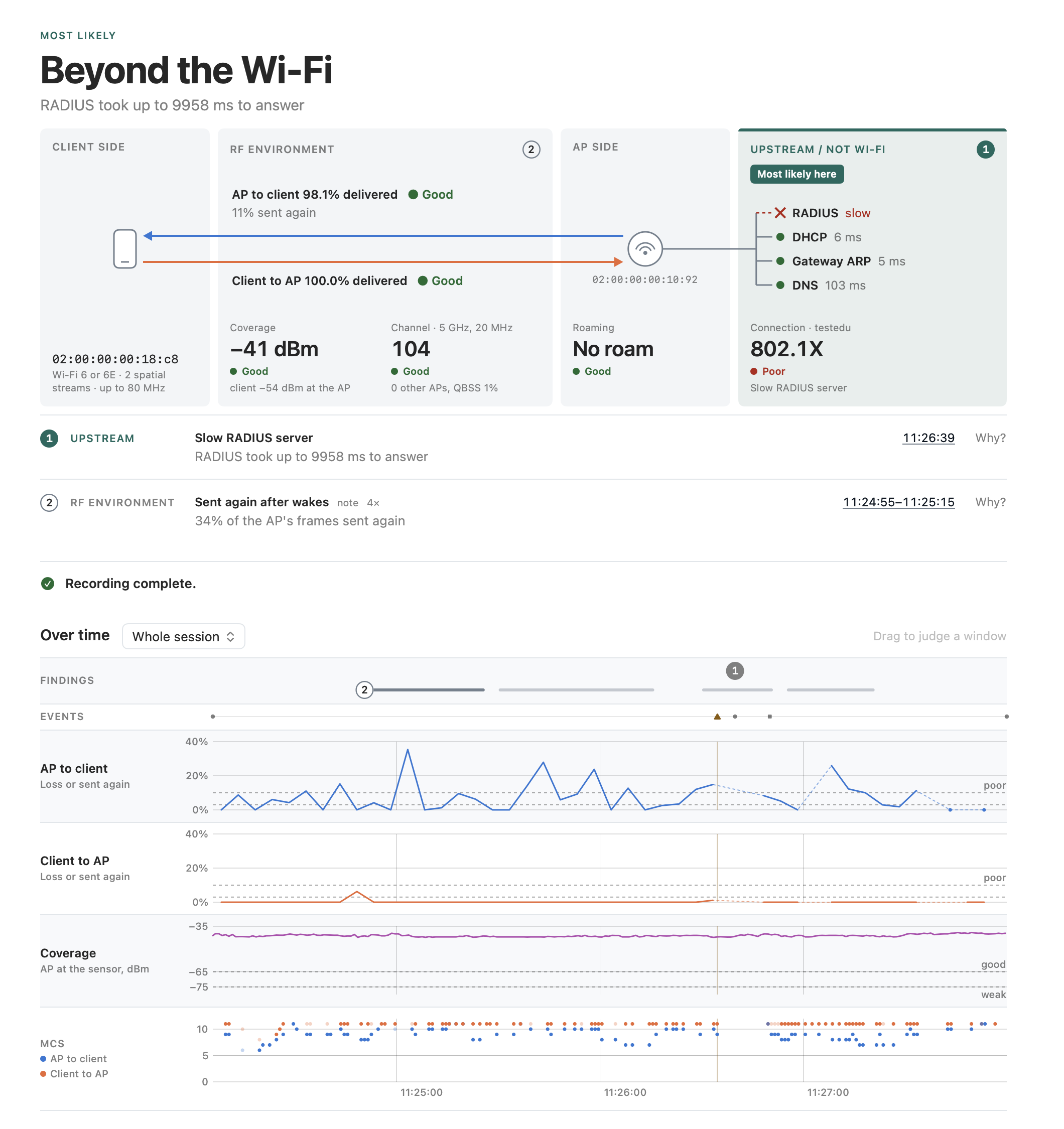
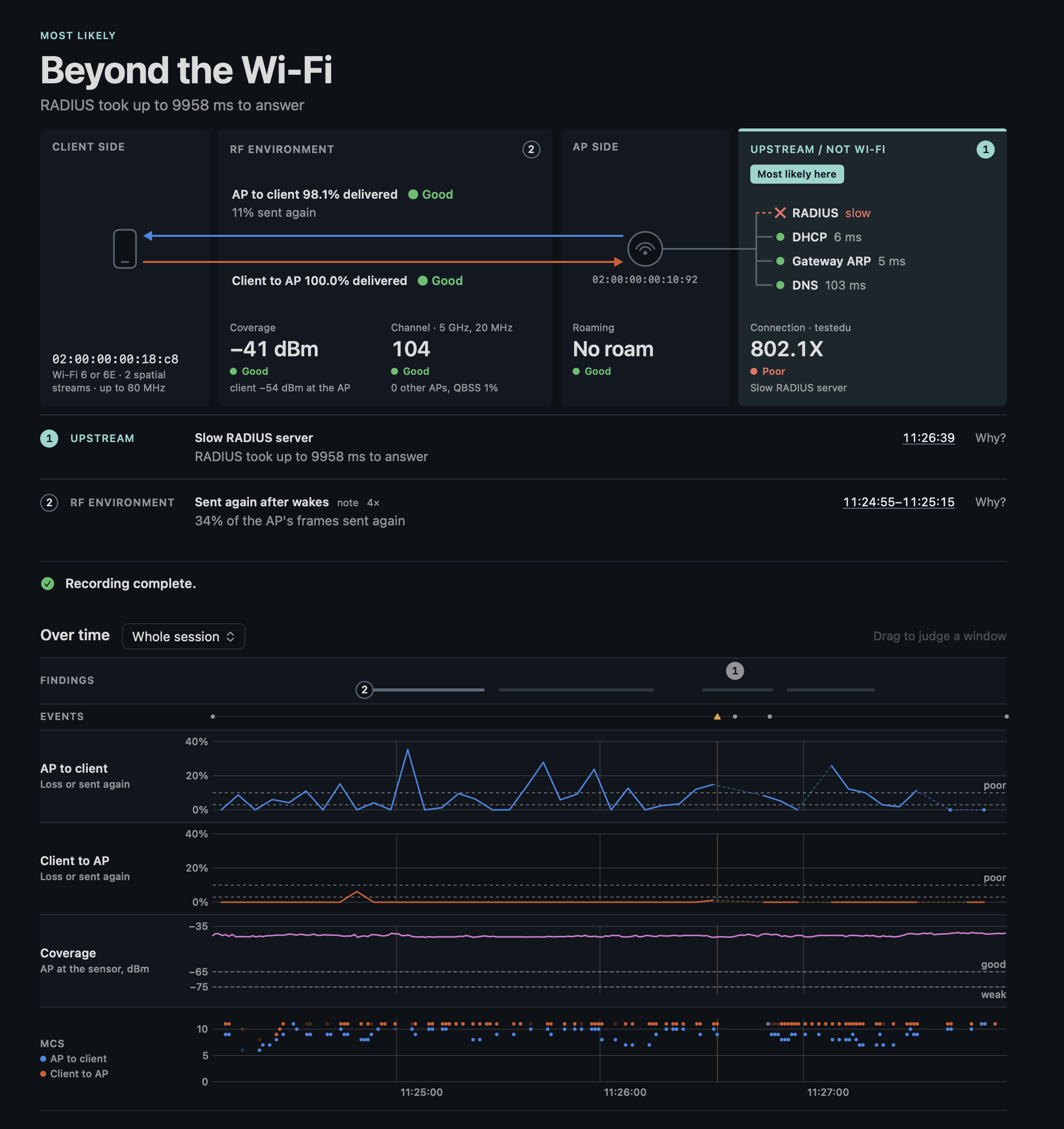
From the top: the verdict, the path a frame takes, the hints, Next, the time axis, and what happened. Reading the verdict goes through the outcomes and the questions.
The verdict
The verdict in plain words as a headline, its overline in the outcome's color, and under it the short text of the finding that decides. Without a finding it reads "Nothing abnormal yet" while recording and "Nothing abnormal found" after Stop where the engine found nothing, and beside notes "No finding yet" and "No finding", without a line under it: the readouts say what is untested.
While a session records, the verdict is as high as its hints, up to two, and a hint that goes takes its room with it, what is under it moving up. Each hint takes one line of text; hints beyond two scroll in the room of the first two; only an opened Why? lets it grow. After the Stop and in a replay it fits its hints. "Nothing abnormal yet" carries the check of a good question only when every graded question is Good, otherwise a neutral sign, as does "No finding yet", the live notice of the client not seen sits inside it, and the readouts keep their room with a quality, untested, or no word while waiting for the reconnect.
On the right of the headline, above its notices, chips with only what nothing else on the page says, in the room the headline keeps, so one that comes or goes moves nothing:
- The sensor not responding: 5 s without a stats line or frame; connected is the sidebar's foot.
- The Mac's Wi-Fi where the sensor listens (The Mac's transmitters).
- Mist failing ("Mist: not reachable since 10:41") while it fails.
- What a recording lacks (The recording).
Drops past the threshold and a stick on USB 2 are findings, the AP's name is on the path, a reconnect captured is Connection's login.
The path
Under the verdict the path a frame takes, four zones for the four outcomes that are a place: client side, RF environment, AP side and upstream. The verdict's zone is tinted in its outcome's color with a bar on top and "Most likely here"; a measurement limit and undecided light none. Each zone has the numbers of the findings that point there.
Each question's number with Good, Fair, Poor or Untested stands in its zone:
- AP to client and Client to AP as arrows through the air in the directions' colors.
- Coverage and Channel at the foot of the RF environment, beside Channel's name the band and width of the link ("5 GHz, 80 MHz"; with more links their bands, each link's width in Surroundings).
- Roaming at the AP, under Mist's name for it and its BSSID.
- The client zone has the client's address and its radio in short ("Wi-Fi 6 or 6E · 2 spatial streams · up to 80 MHz", from its last (re)association request).
- Connection upstream with the network's name beside it, where the services branch off the wire: RADIUS where a finding names it with the time without an answer, and the last DHCP, gateway ARP and DNS Mist saw with their latency, a cross for one that failed or that
ip-servicescalls slow.
What the readouts show:
- A finding in a window shows that window's number named by its measure and the session's, "79.7% delivered" with "session 99.7%", and a loss found on the frames sent again that share, "sent again", in either direction, "Mist: sent again" where Mist counted the AP's, the window itself in the finding's row.
- Otherwise the two directions name the delivery their grade judges, "99.1% delivered", and on a line under it the share of their frames sent again over the same span, "7% sent again", the airtime that cost, in Fair's color from 15 %. A note of frames sent again is among them, its own window and share in its row.
- The lines over the arrows stay within the RF environment's zone, scaled down together to fit.
- Coverage is Untested with the client away from the sensor ("client away from the sensor"), Mist's client at the AP in its help.
- The channel's readout counts the other AP radios on the channel and those overlapping it from a wider channel, from −82 dBm on.
- What the rules could not check is the readout's help.
The hints
Its hints as numbered rows on hairlines under the path, the number filled in the outcome's color for the finding that decides, the zone it points to beside it. A row says it in one short clause with the number that matters: "34% of the AP's frames sent again". Why? on a hint opens its full text, as the report has it, and its evidence; a hint its short text says whole, without evidence, has none.
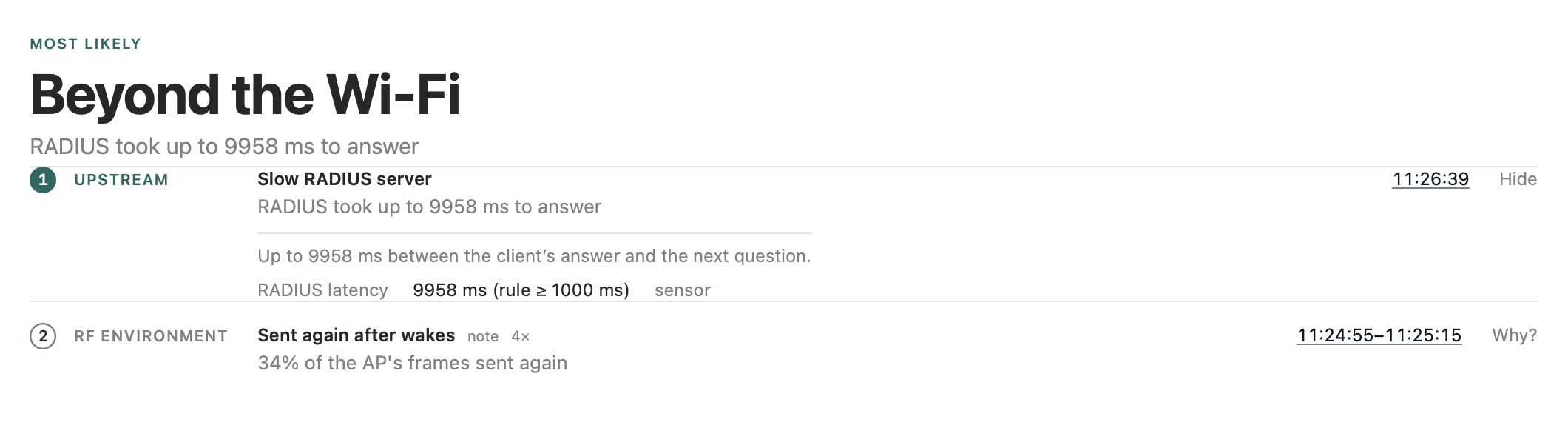
Next
Next stands under the hints: what would let an untested question or an observation be judged, from each reason a rule could not run and each observation's comparison, over the whole session whatever the window. It is one line, short, so nothing below it moves.
"Ready to stop." comes once the session has Block Ack success both ways, a login, Mist's stats where it found its client in Mist, the client at −60 dBm or stronger at the sensor over the last 20 s, from its frames in them once it has been heard for 20 s, and no measurement limit. Until then "Not ready: " with the first step that holds back the stop ("Not ready: have the user turn Wi-Fi off and on."), without one what is missing or the measurement limit by its title. What a step brings is the readouts' to say and the report's.
A login or a join that failed with no traffic after it leaves the traffic out: its finding is the verdict, and the traffic does not come. Any other finding of the connection, such as the AP's beacons stopping, leaves it in.
The steps come the most useful first: a measurement limit's (the stick on USB 2), then the one that lets the most questions run, the operator's before the user's at as many, one that only a next session can take last. A step is optional where it holds back no "Ready to stop", and the line leaves it out: the walk after a missed roam, the own device, a session from Mist, the reconnect for the profile alone. A step goes once its input came in.
The steps:
- The reconnect: for a login, the client's profile and with it its bands, the client's ACKs in a 4-way handshake or Mist's DHCP and DNS. With the reconnect filter it is the one for every question: the headline reads "Not heard on the air", its overline in amber, and says why.
- Waking the device: heard, on no BSS yet, after 20 s of capture: the sweep has its time.
- The traffic: named per direction, also where a loss has nothing to compare in the other.
- The sensor next to the client: weaker than −60 dBm at it over the last 20 s, with its signal. Near it now but away from it at a roam, which the weaker roam compares at the sensor: carrying it along on the walk. Away over the session and near now: none, the sensor is where it belongs.
- The AP's beacons: too few after 20 s.
- A blue USB 3 port.
- The walk again: after a roam the sensor missed, with capB on the AP the client goes to ("Change capB…"); without any roam no walk, which would stand in every session that stays put.
- The own device on the client's AP with a download of its own: a loss towards the client or both ways, or a low rate, with no reference beside the client. Given but elsewhere or quiet, the operator's; not given, a next session's Compare with.
- A next session from Mist: a loss towards the AP in a session found by MAC address.
A reason without a step at the desk is a limit: the readout's help names it, the report lists it ("Not at the desk"), the capture statistics and the USB port of an older recording among them.
After Stop and in a replay the line says "Recording complete." or what it lacks ("Recording lacks a login."), a measurement limit "Recording is a measurement limit."; what to ask for at the next visit is the report's. In a replay before its end it says "Up to here, the recording lacks …", since it may come later. With a window chosen the steps stay the whole session's, from its checks without the scan of its windows: an observation found in a window alone gives no step then.
The time axis
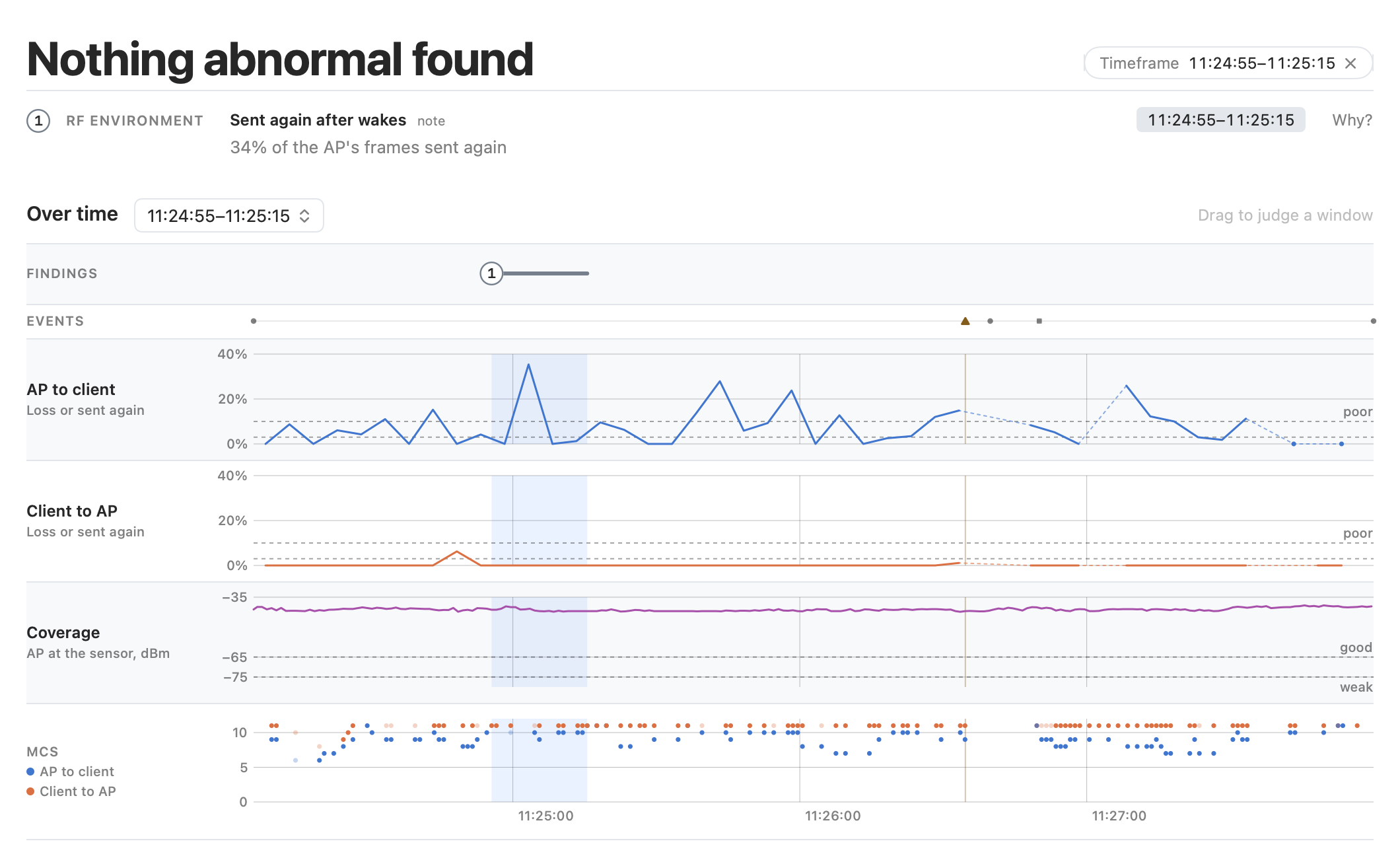
The time axis covers the whole session in lanes on one clock, each with its question and what it draws in a gutter on its left (its value and quality are the path's), every other one on a fill. Hover reads the values at a moment; dragging chooses a window. The window judged is shaded.
Findings. Each finding on a row of its own:
- Its number once at its first stretch or moment, and each stretch it was found in a bar, the one that holds the window it names full and the others faint, the deciding finding's in the outcome's color.
- A finding about events (a disconnect, a login) has its number at the first and a dot at each later one, from the windows of the scan.
- With a window chosen its findings have that window as their stretch.
- The lane keeps room for two findings and grows a row for each beyond; no finding shades the lanes.
- A finding found more than once says how often on its row, "2×". Live a window counts once it is full, so a bar only grows or comes back, never jumps.
Events. The lines of the story are markers in the Events lane, with a rule through the lanes for a notice or a failure. Lines that would draw on each other, as a search and its find in one second, draw one symbol, the most severe, and the readout names it with the count of the others.
Loss. The loss of AP to client and of Client to AP, each in a lane of its own on one scale:
- 1 − Block Ack success, per 5 s: per second a busy channel reads as a saw of spikes. In each direction it takes the share of its data frames sent again where that is larger, with nearly all of the direction captured, as the loss rules count it.
- A linear axis up to the largest value, rounded up to 10 % (at least 10 %), so nothing is cut, labeled on round steps (0, 25 and 50 % for a top of 50 %).
- The lane is named "Loss or sent again" when the share sent again is what it draws anywhere, and the readout says "sent again" for such a step and shows a hovered marker's symbol as its key.
Coverage and rates. The serving AP's beacons at the sensor in Coverage's lane as its readout takes them, and the median MCS per direction, light where the sensor decoded too little of that interval's data, its key in the gutter. Connection, Roaming and Channel have no lane yet; their numbers stand in the path.
Gaps. A step of loss or a second of the AP alone between gaps, which a line does not show, is a dot, as a value alone on the charts of Link. On a loss lane a gap of up to two steps without a value (15 s from step to step), as a client that takes its data in bursts every 10 s or so leaves every other step, is spanned by a thin dashed line in the direction's color, under the line: the dash is no value, and the readout shows none there. A longer gap, or one across the sensor's search, breaks the line. Those break a line where an interval has no value: BA success with too little traffic, the airtime and the AP's signal per link without the frames they take, which the sensor may also not have captured, as in a cut recording.
Thresholds. The thresholds of the questions are dashed, here with a word at the right end of each line ("fair" and "poor" on the loss lanes, "fair" left out where it would run into "poor"; "good" and "weak" on the AP's signal), and in Link's charts of BA success and of the AP's signal, whose scale then covers them:
- BA success from a step below its worst interval in the window shown to 100 %: 95, 90 or 75 %, the old steps of the Overview's loss axis upside down, a value below cut at the bottom with an open triangle.
- The AP's signal with at least 3 dB of room above and below its values and thresholds, on steps of 5 dB, as the Overview's lane.
What happened
What happened holds the latest lines of the story, live newest first, beside where the radios listen (each link with its channel, network, BSSID, signal and the radio that hears it is Surroundings' Serving), the two side by side as high as the taller. A line's note stands under it, whole up to two lines. Lines that repeat one after the other, each within 60 s of the one before, read as one at the time of the first with the count; a repeat further apart, as Mist's reauthorization every few minutes, keeps a line of its own.
Choosing a window
The verdict, the path's numbers, the charts and the report judge one of:
- The whole session.
- The last 60, 120 or 300 s up to the position.
- A span dragged on the time axis of the Overview.
- The window of a hint: the window it was found in, or for a hint about an event (a login, a disconnect, a roam) 20 s around its moment.
The clock time next to the hint, a link, chooses it and stays marked while that window is chosen, a second click going back. Beside the verdict's headline the window shows as one button, "Timeframe 16:01:24–16:01:44 ✕", which goes back to the whole session. A line of the story outside the time axis, such as a Mist event from before the recording, draws no marker beside it. The picker sits with the time axis on the Overview and at the top of Link.
Timeline
Story
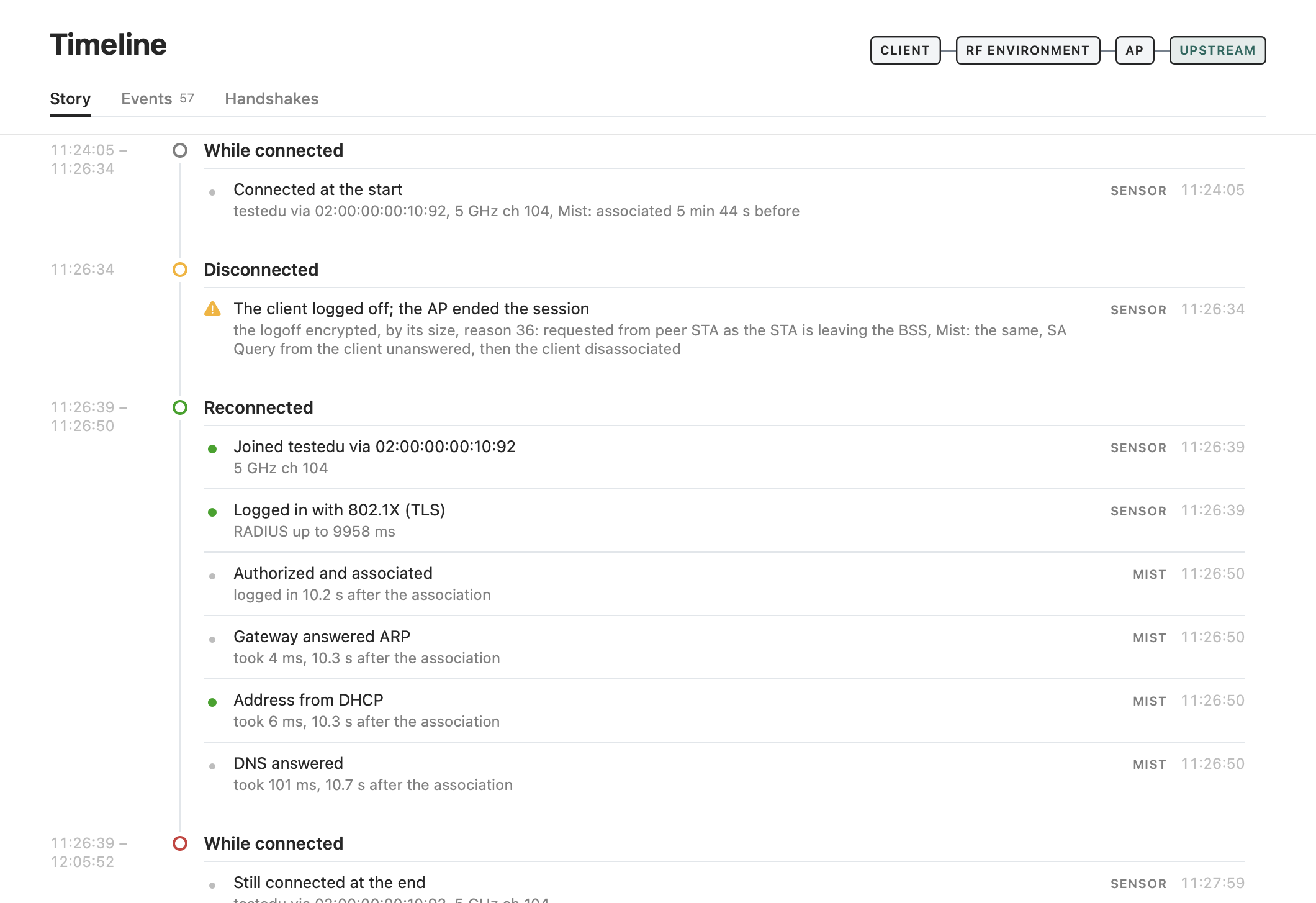
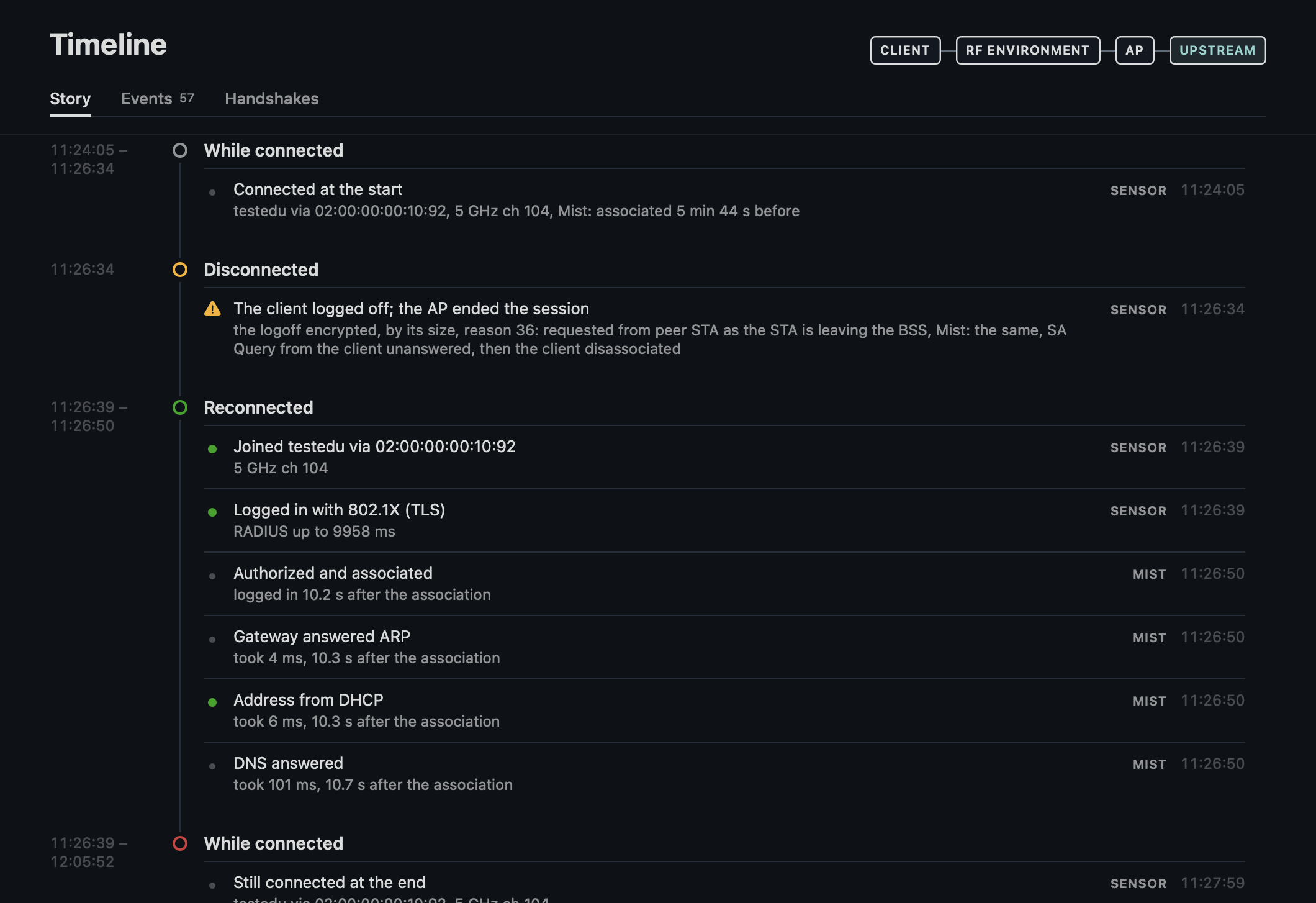
The phases on a rail, each line a row on a hairline with its source, Sensor or Mist, as a quiet word, as the lines of the Overview's What happened and Latest.
- A phase's time is its first and its last moment over each other with a dash.
- A connected phase spans the connection, from the keys of the join before it, or the start of the capture, to the next disconnect or join, or to the end, "now" while it goes on live.
- "Connected at the start" opens the story of a client that was connected when the capture started, with its SSID, AP and channel and how long before Mist had it associated, and "Still connected at the end" closes that of a finished session in which it still was.
- Mist's events of a join, its login and the DHCP, ARP and DNS after it, stand in the join's phase, placed by the association they count from (
time_since_assoc) and within a minute of its keys. Mist's reauthorization, which counts from the same association minutes later, is a line where it falls. - Mist's event of a disconnect the sensor saw, of the same kind on the same BSS within about a second, with the same reason or one the air did not show, reads in that disconnect's line, "Mist: the same" or Mist's reason, not as a line of its own.
- The client's logoff and the AP's disconnect after it keep "the logoff encrypted, by its size".
Events
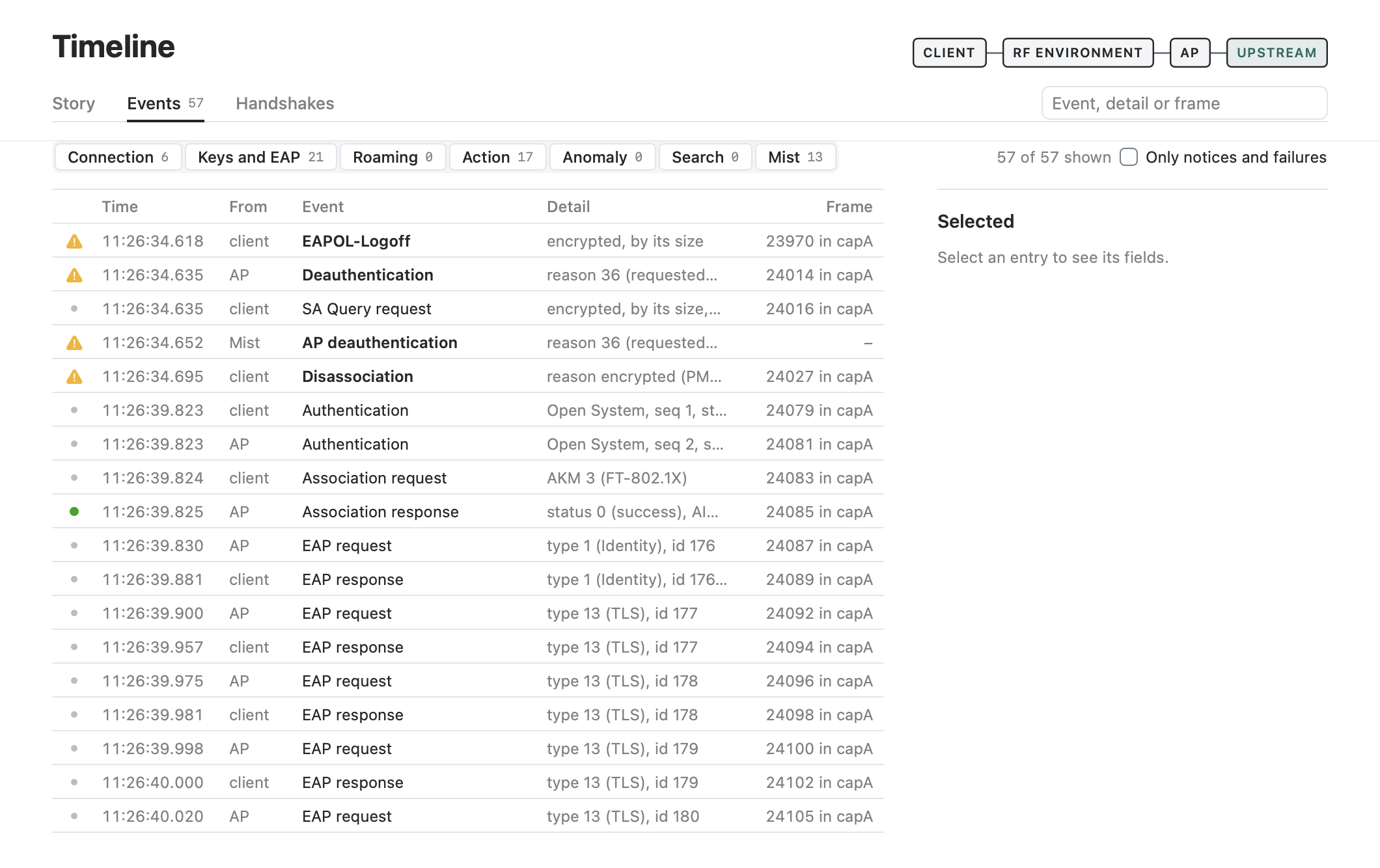
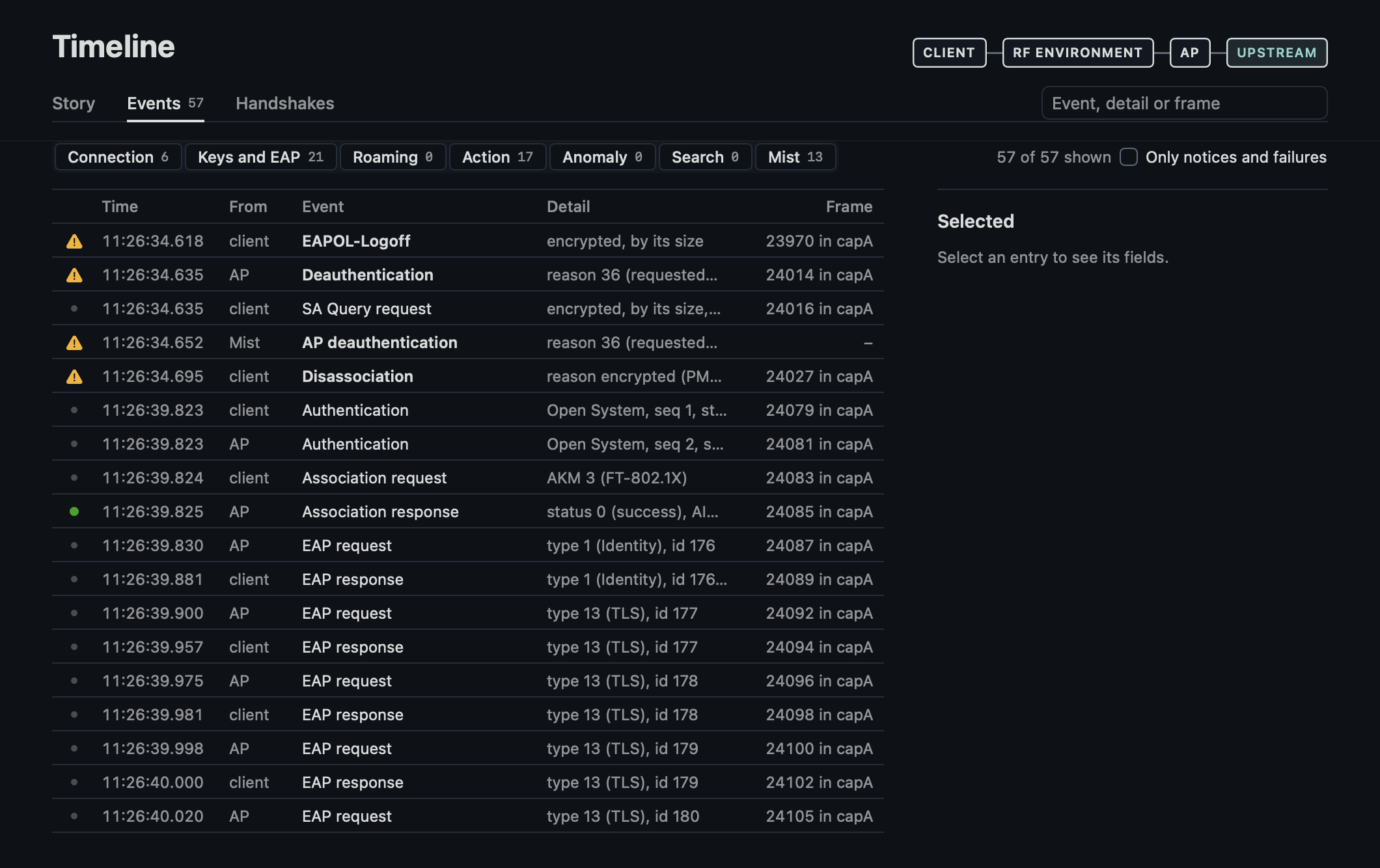
Every event and anomaly and every Mist event, with filters and a search, "45 of 45 shown" beside them, and the selected entry's fields beside the table, every field of its frame on request. A frame names its file, "8425 in capA" in the table and "8425 in capA.pcap" in the entry's fields.
- Filters. "Only notices and failures" keeps notices and failures. A category chip that is shown is tinted with a solid edge, one hidden has no fill and a dashed edge. In a narrow window the count and "Only notices and failures" go on a line under the chips.
- The table. A line per entry on hairlines, the column titles staying as it scrolls. The arrows, Home, End, Page Up and Page Down move the selection, a page by the rows in view. In a narrow window From and Frame go, and at the window's smallest Detail too; the selected entry names them, and VoiceOver reads a row with every column's name.
- The selected entry gives Pi time as a clock to the microsecond and the time since the start ("+2:51.933"). A Mist event gives Mist's time, its type with its number, its BSSID and AP, and live its text.
- Mist's events go by Mist's own names, which say who sent a disconnect, "AP deauthentication" (type 10) and "Client deauthentication" (58), and "Authorized and associated" for the login done. Their detail comes from their fields, not from their text, which a recording does not keep, so a replay reads as live did: the reason and the status with their names, the latency ("took 2.2 s") and the time since the association.
- A disconnect whose reason PMF encrypted gives Mist's reason where Mist logged that disconnect, "Mist logged none" once Mist had its time (30 s), otherwise "only in Mist".
- An encrypted action frame the engine did not name gives the size of its body and only the kinds of that size ("12 bytes, encrypted (PMF): a neighbor report request with the SSID, or an ADDBA with its extension"; FT only where the AP allows FT over the DS).
- A Block Ack setup gives the ADDBA request or response with the TID of the originator's next Block Ack Request where the capture has one, and the client's SA Query whether the AP answered.
Handshakes
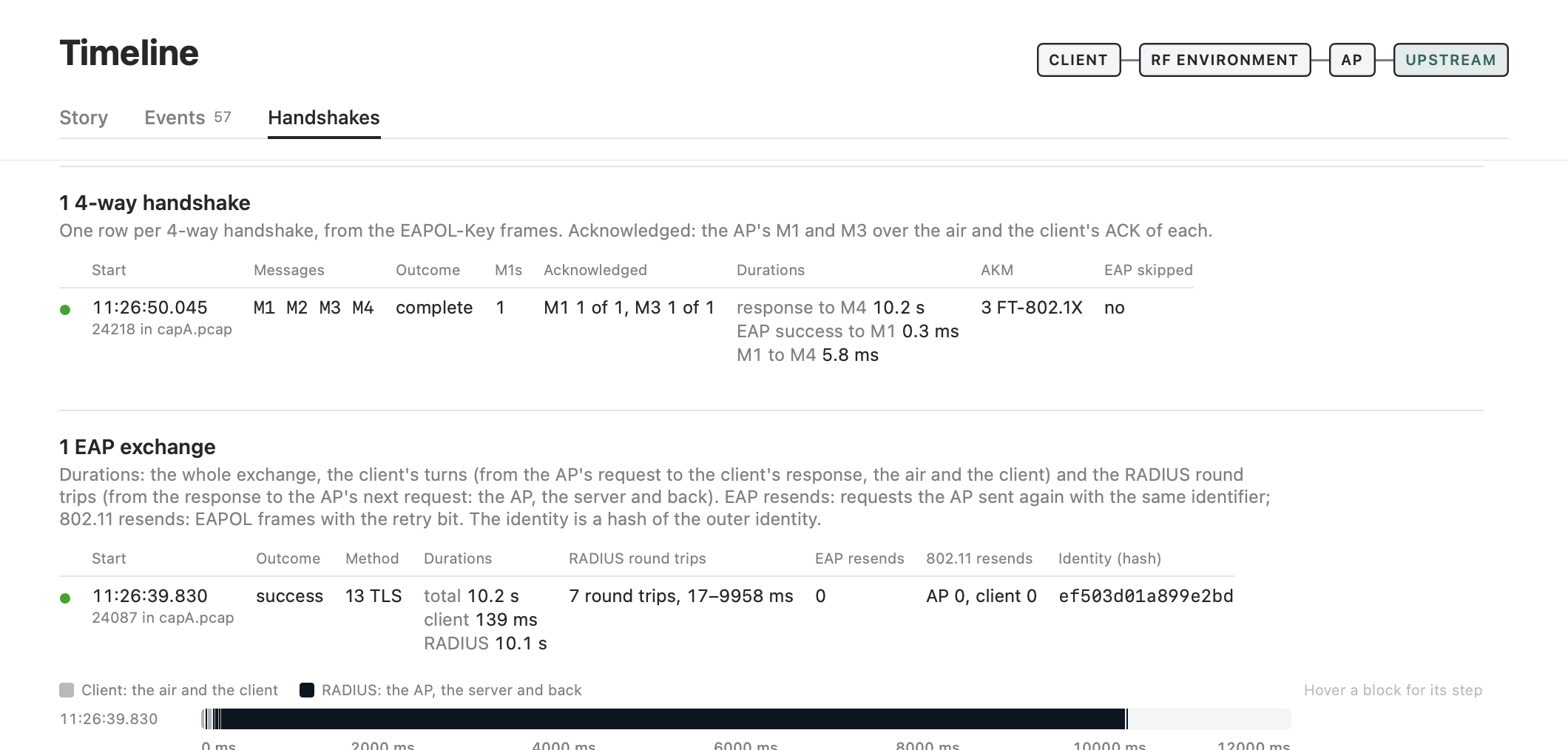
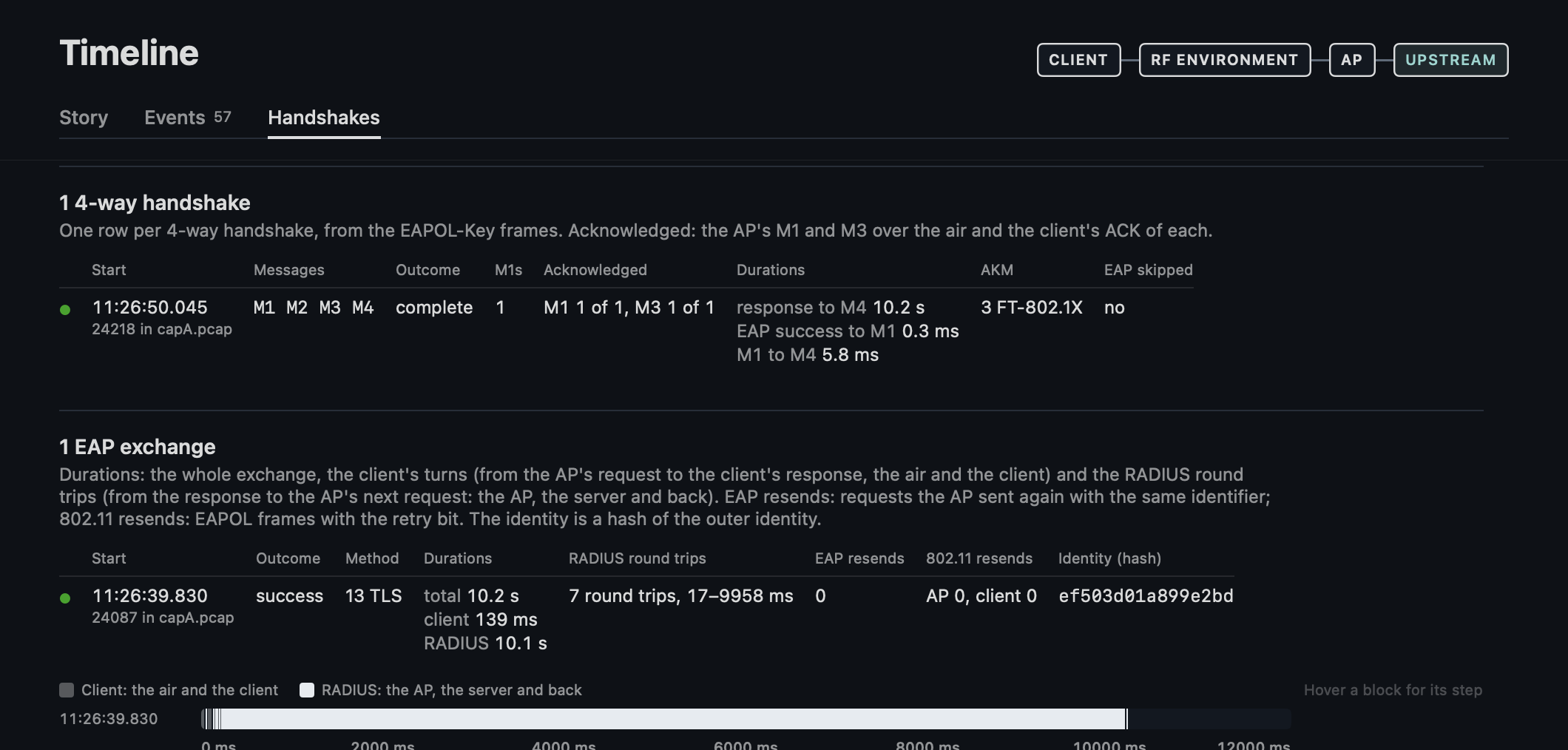
The 4-way handshakes and the EAP exchanges, each under a title with its count, each row with a green dot when complete and a red octagon when failed, its start with its frame in its file.
- A 4-way gives its outcome, its M1s, the AP's M1 and M3 over the air and how many the client acknowledged, and its durations: from the association response to M4, from the EAP success to M1, M1 to M4.
- An exchange gives its durations, the whole and the parts of the client's turns and of the RADIUS round trips, the round trips as their count and range, every value beside the bar's legend on hover, the EAP requests the AP sent again with the same identifier (EAP resends) and the EAPOL frames with the retry bit, sent again at the 802.11 layer, per side (802.11 resends).
- Under the exchanges a bar per exchange on one axis in milliseconds: the client's turns, from the AP's EAP request to the response (the air and the client), in gray, the RADIUS round trips, from the response to the AP's next request (the AP, the server and back), in the text's ink, not the colors of the bands, and a response the AP never answered in red, in the legend only when there is one, cut at the axis's end with its duration beside it. Hover a block for its EAP type and identifier, its duration and its frame, beside the legend, which says so until then.
Severity
Each entry has a severity from what it is, with the same marks in Events, the Story and what happened:
- A failure (a disconnect, a refusal, an auth failure, a failed login): a red octagon.
- A notice: an amber triangle.
- A success (an association, an EAP success, an address from DHCP; in the story a join and a login): a green dot.
- The rest: a gray one.
A disconnect after the client logged off (reason 23) and Mist's lines of that moment are notices, not failures. A phase's circle on the rail takes its worst line, a connect, reconnect or move without a problem green.
Client
The header names the client's address and MLD address; Mist's user is in the Mist section.
Profile
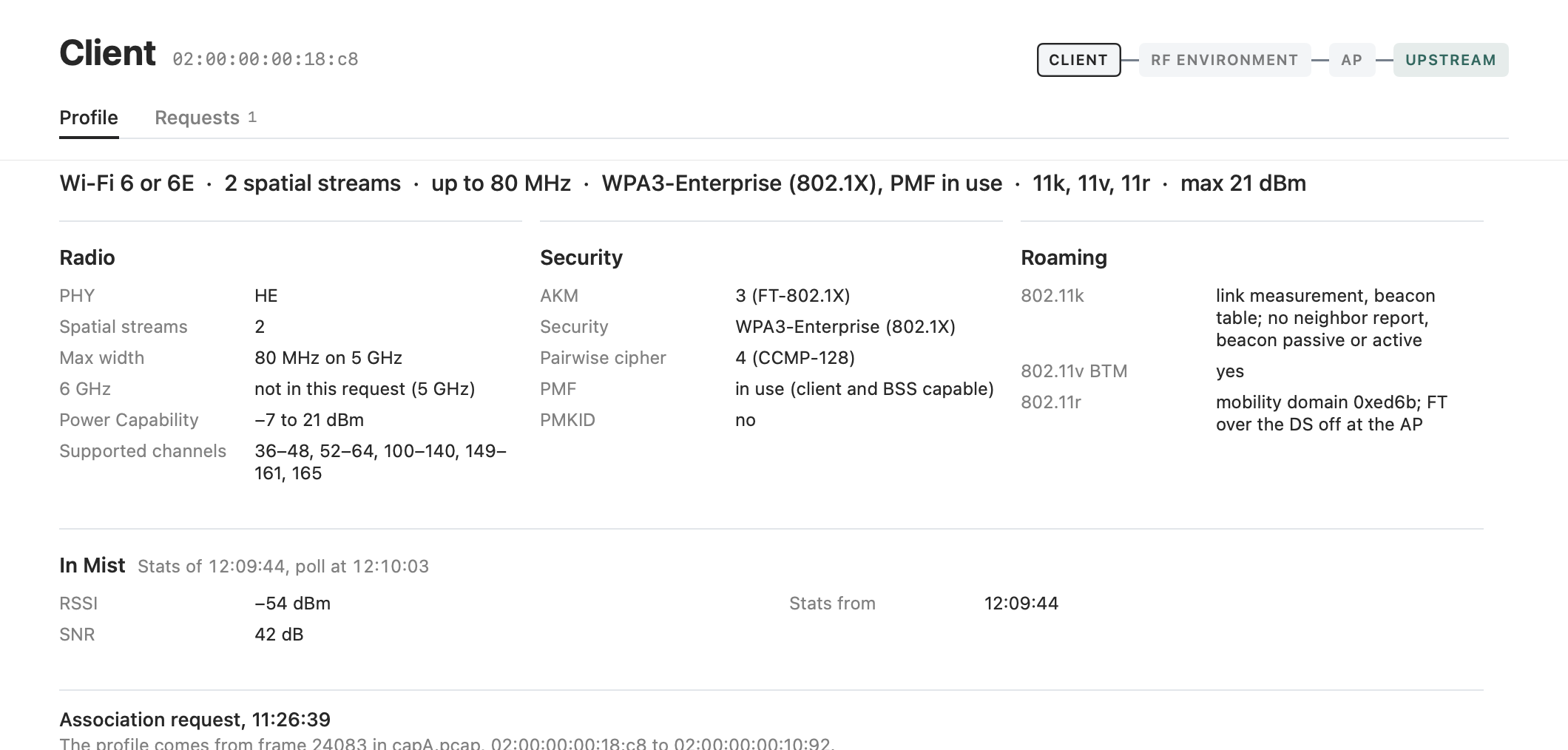
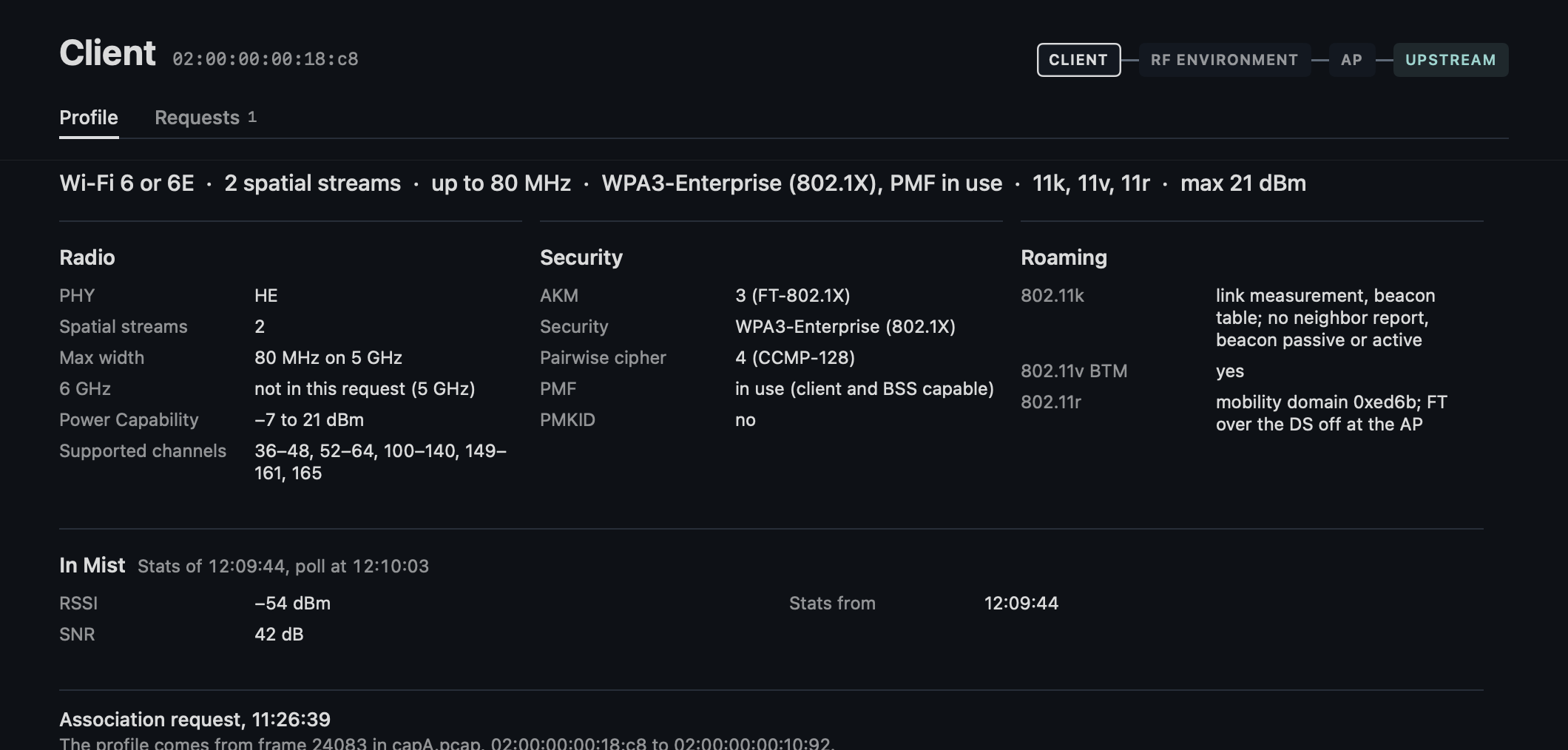
From the last (re)association request. The request the profile comes from is named, its frame in its file, and "Client profile missing" stands without one.
Its capabilities in one line, set apart by a middle dot:
- 11k when its RM Enabled Capabilities name a measurement the Roaming card lists: neighbor report, link measurement, beacon passive, active or table.
- "Wi-Fi 6 or 6E" for HE whose request does not name 6 GHz.
- PMF as it is used with the BSS: "PMF in use", "PMF required" or "PMF capable, not in use".
Then radio, security, roaming and multi-link in one row across the width where it holds them, otherwise two by two:
- Supported channels as ranges, "36–48, 100–140, 165".
- 6 GHz "not in this request (5 GHz)" where the request does not name it: a client names 6 GHz by its HE 6 GHz Band Capabilities, which it need not send on 2.4 or 5 GHz.
- The AKM in its row and the security in its own, FT-802.1X and 802.1X-SHA256 as WPA3-Enterprise once PMF is in use, PMF as "in use (client and BSS capable)". SAE H2E only with an SAE AKM.
- 802.11k the measurements the client names and those it does not, "link measurement, beacon table; no neighbor report, beacon passive or active".
- 802.11r the mobility domain and "FT over the DS off at the AP": the client copies the AP's Mobility Domain element.
- A line "WLAN offers WPA3; this client chose WPA2 (AKM n)" where the BSS offers WPA3 of the client's family and the client took WPA2.
And Mist's view of the client, a section across the width with its rows in two columns and the poll it shows beside its title ("Stats of 16:34:28, poll at 16:35:05"): who it is, its RSSI and SNR at the AP, its rates (the rx rate is that of the client's last frame), when Mist last saw it.
Requests
Every request, newest first, its blocks in rows of two: the request beside PHY and power, security beside roaming.
Own device
The reference client, when one was given.
Surroundings
Serving
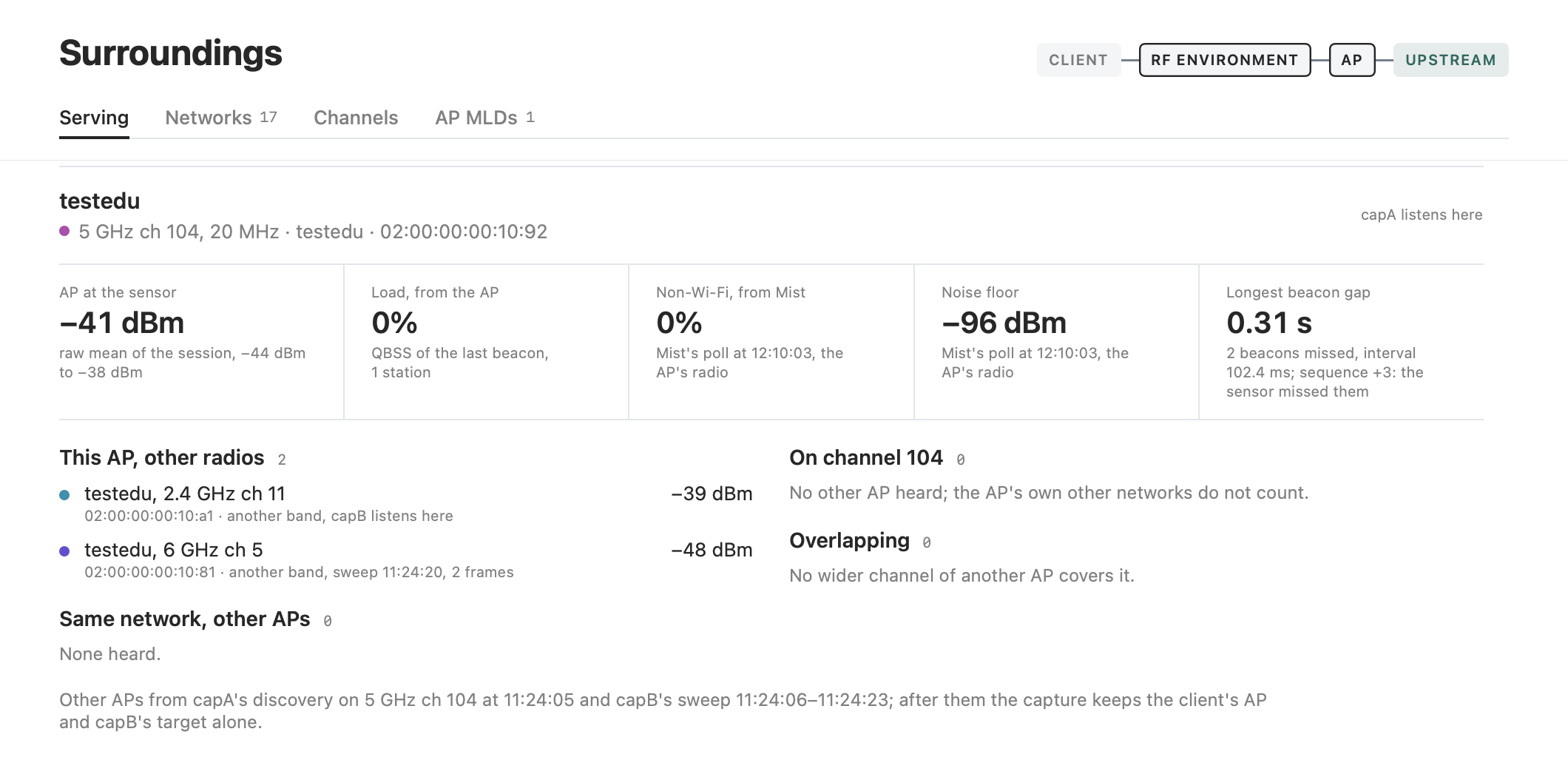
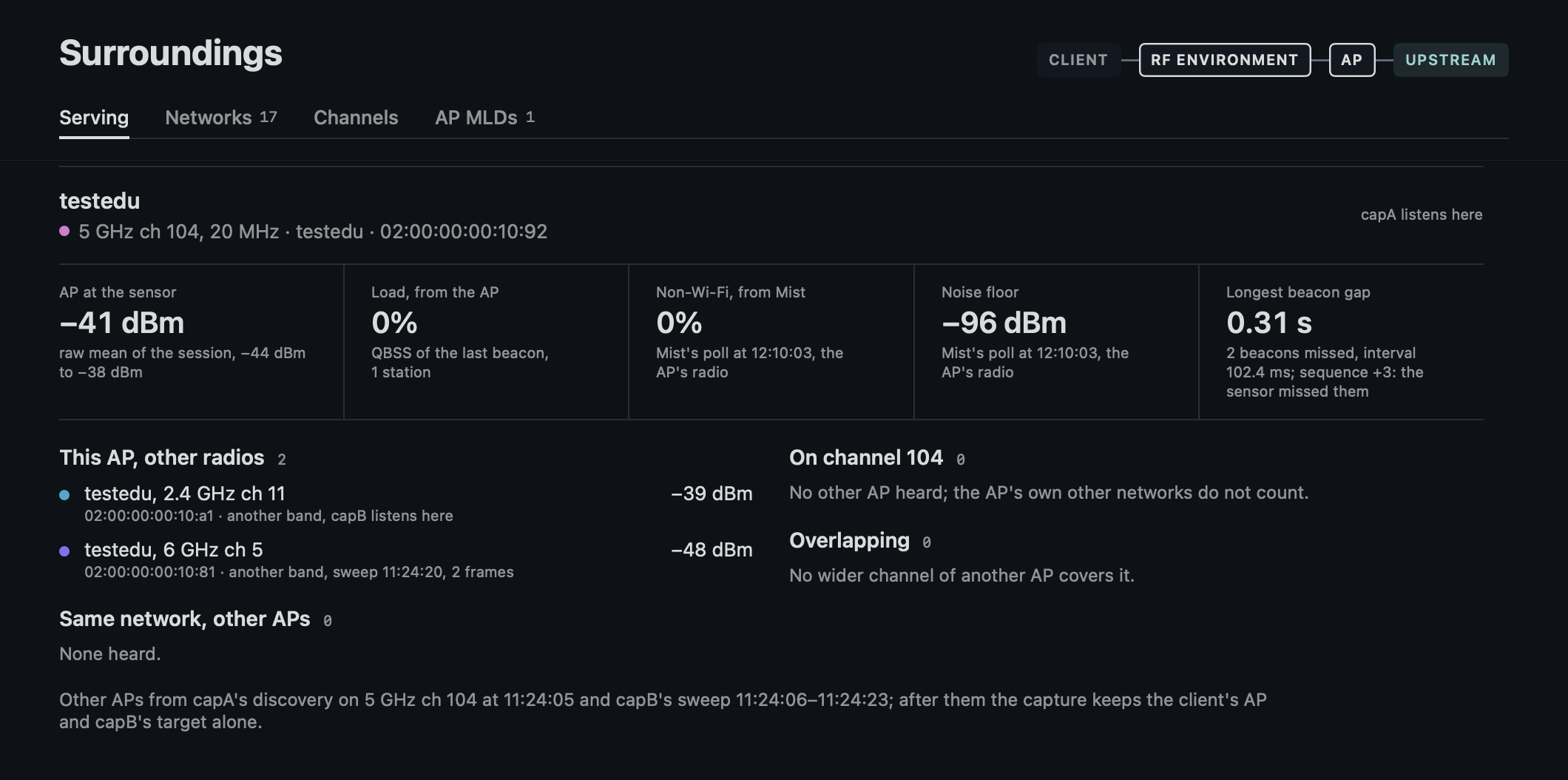
Per serving link its AP and the radio that listens on its channel. The AP goes by Mist's name where the link is the AP Mist places the client on: its BSSID or AP MAC in Mist's stats, a link of the same AP MLD, or a BSSID of one of its radios. After a roam Mist can still name the AP the client left, on the same channel.
A strip of figures, each saying what it is taken over:
- The AP's signal at the sensor: the raw mean of the session, with its range.
- The load the AP advertises: the QBSS of its last beacon.
- Mist's load and noise floor of that AP's radio: Mist's last poll. A replay, which keeps no AP of Mist's, takes the noise floor and the non-Wi-Fi share of the last poll in
mist.jsonwhile the client was on this link's AP, in a session of one link. - The longest beacon gap, in beacons missed at the BSS's beacon interval with the step of the sequence number across it: +1 is an AP that sent none, one step per interval a sensor that missed them, where the AP numbers its beacons one by one as the AP45 does (testlab-aps.md) ("1 beacon missed, interval 102.4 ms; sequence +2: the sensor missed it").
Then the lists:
- This AP's other radios with the network, its other bands or links: the same AP MLD, Mist's radios of the AP, a co-located AP in its Reduced Neighbor Report, two BSSs that name one co-located BSS in theirs, as the AP45's 2.4 and 5 GHz BSSs each name its 6 GHz one, or capB's target where capB was tuned to it as another band of the client's AP.
- The network's other APs, a dB difference only within the band.
- The AP radios on its channel.
- The AP radios on another primary whose width covers its channel (Overlapping: "160 MHz, ch 100–128 covers 112").
A radio below the co-channel floor of −82 dBm where it reaches the channel is muted: a wider channel per 20 MHz, its signal less 10·log10(width/20), 9 dB at 160 MHz. Each row has "capB listens here" where a radio holds its channel, or "sweep 16:24:53, 2 beacons" for a BSS heard only while the capture took every beacon.
Under the lists where the other APs come from, "Other APs from capA's discovery on 5 GHz ch 112 at 16:24:49 and capB's sweep 16:24:49–16:25:06; after them the capture keeps the client's AP and capB's target alone.", from the captures and the tunes of session.json: the focus filter takes no other AP's beacons.
And Mist's AP with that radio: name, model, status, channel and width, the power as Mist's setting (the AP's TPC Report or TPE can announce another) and the utilization's parts. The load, the clients and the noise floor are in the strip above.
Networks
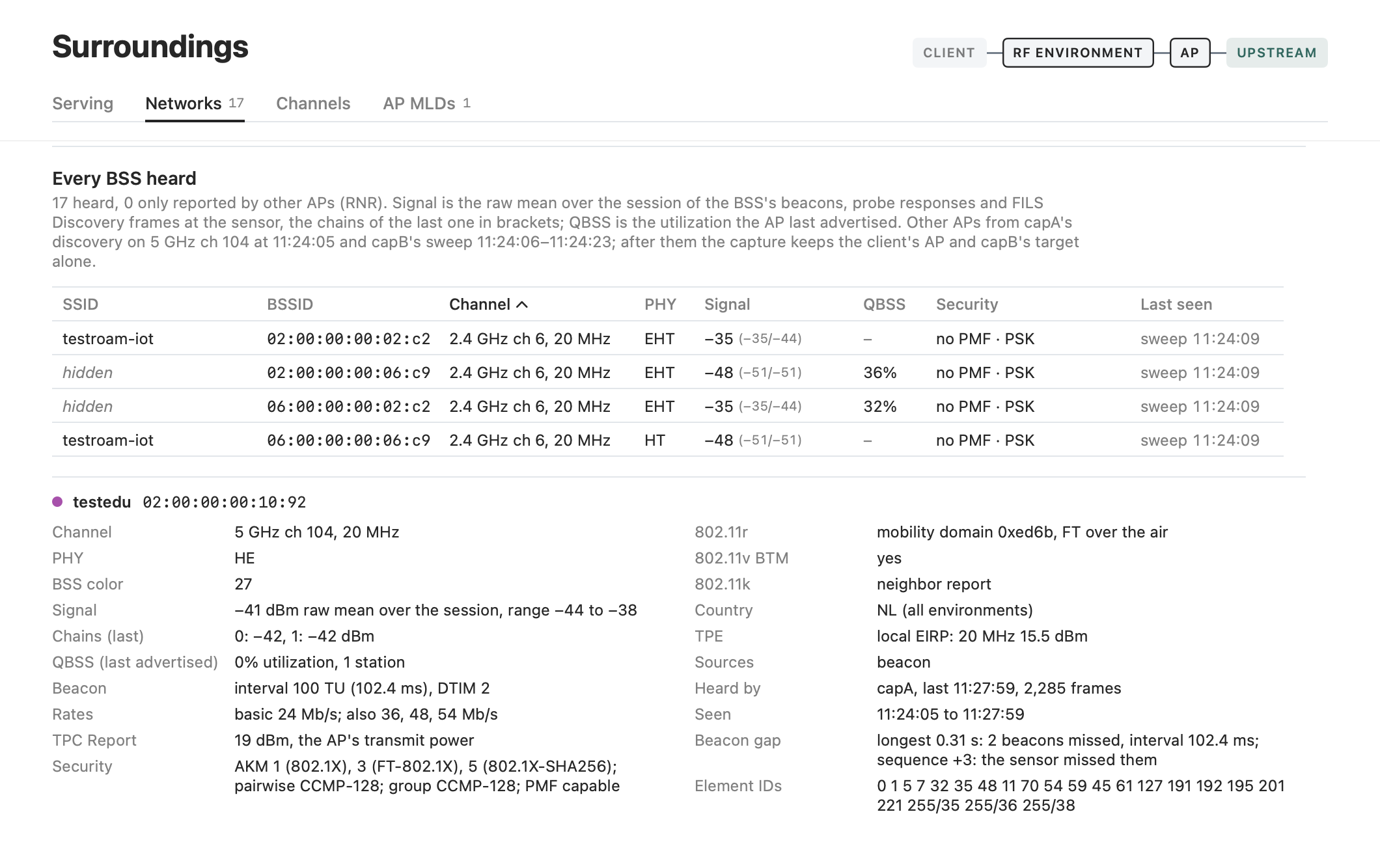
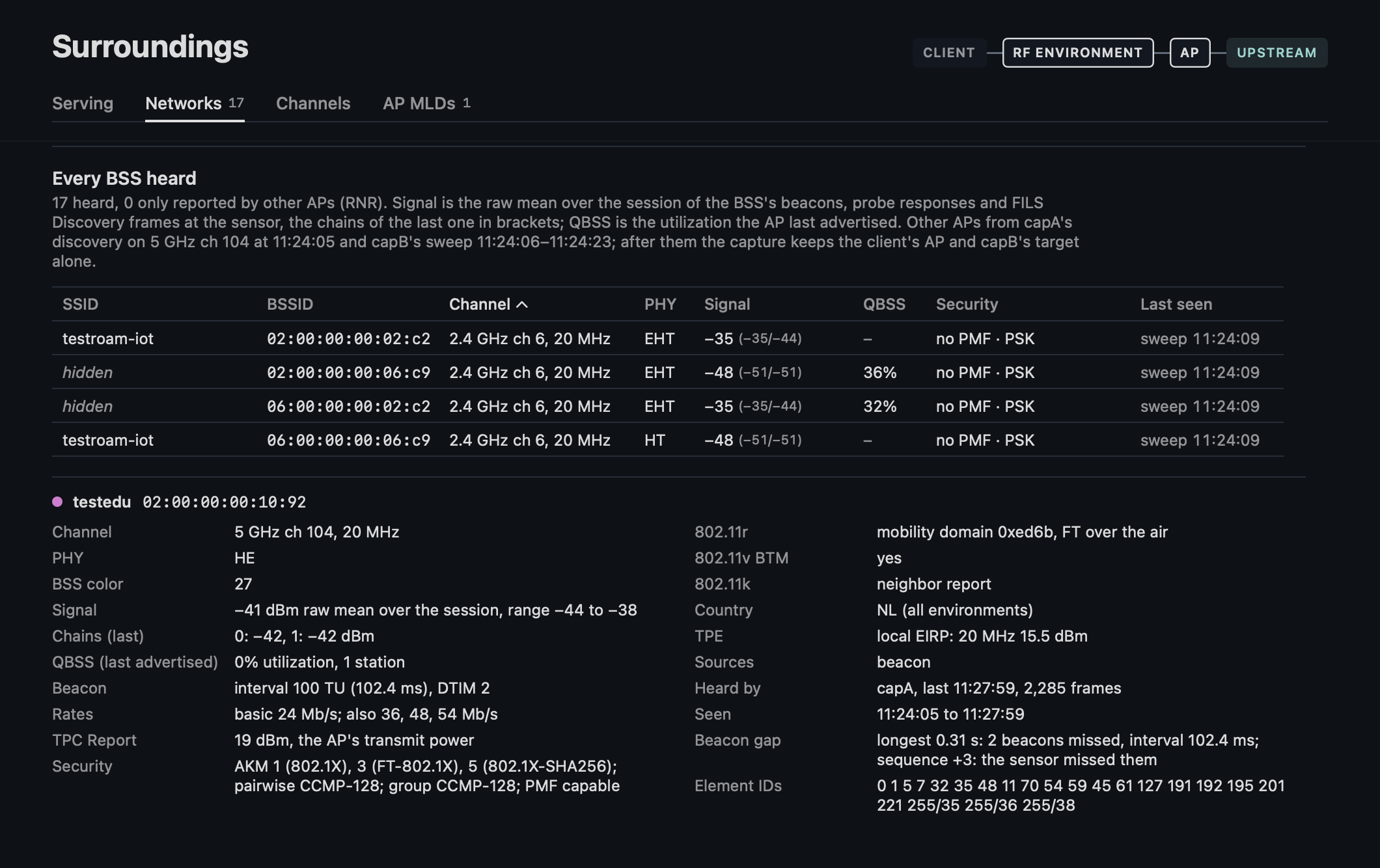
Every BSS heard or reported, with the elements of the one selected. The table takes the pane's height the detail leaves, and the QBSS column stays out where no BSS has a value for it. A column's title sorts by it, a second click the other way, and the keys move the selection as in Events. In a narrow window Security and Last seen go; the detail names them.
The table:
- Signal is the raw mean of the session over its beacons, probe responses and FILS Discovery frames, the chains of the last one in brackets.
- QBSS is the utilization the AP last advertised.
- Security puts PMF first, "PMF capable · 802.1X/FT-802.1X/802.1X-SHA256", a vendor's AKM as OUI and type, by name where known ("50:6f:9a:02 (DPP)" in the detail), and without an RSN element "WPA, no RSN" for a WPA element, "Privacy, no RSN (WEP?)" for the Privacy bit of the Capability Information alone, otherwise "open".
- A link of an AP MLD carries a link symbol and its link ID after the SSID.
- A BSS without a DS Parameter Set or operation element stands on the channel its last frame was heard on, "5 GHz ch 149, heard on", in the table and in Channels.
- Last seen reads "sweep 16:24:53" for a BSS the capture took only in a sweep or a discovery: not gone, no longer captured.
The detail gives:
- The signal's range as "range −46 to −40".
- The beacon interval and the DTIM period (a nontransmitted BSSID's from its Multiple BSSID-Index).
- The basic and other rates with the BSS membership selectors ("basic 24 Mb/s; also 36, 48, 54 Mb/s").
- The transmit power of the TPC Report.
- The access categories with admission control mandatory in the WMM Parameter element, and only then the QBSS's available admission capacity, which without admission control reads as a full AP.
- The longest beacon gap as on Serving.
- The radio that heard the BSS last with when and its frames ("capB's sweep, last 16:24:53, 2 frames").
Channels
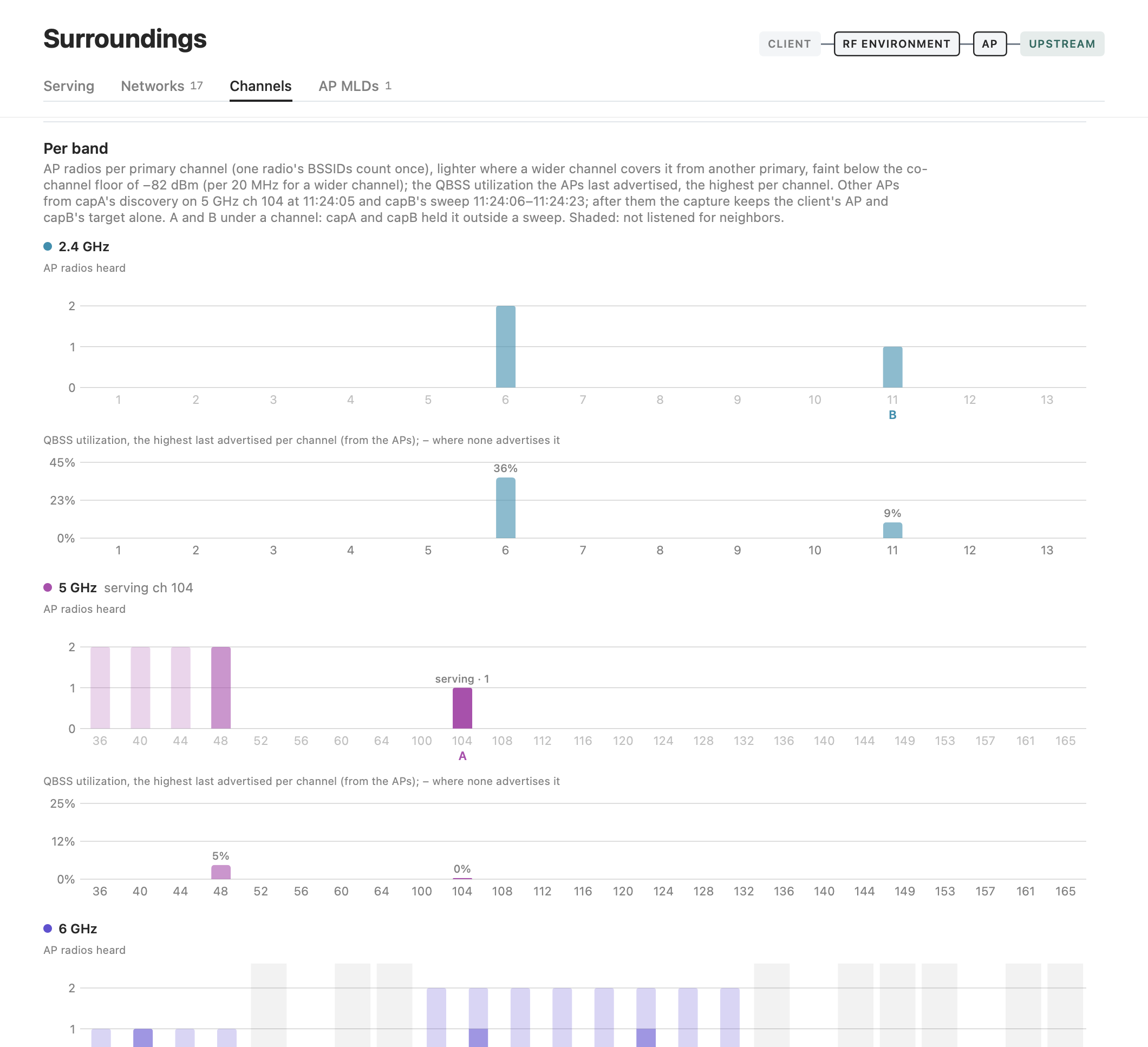
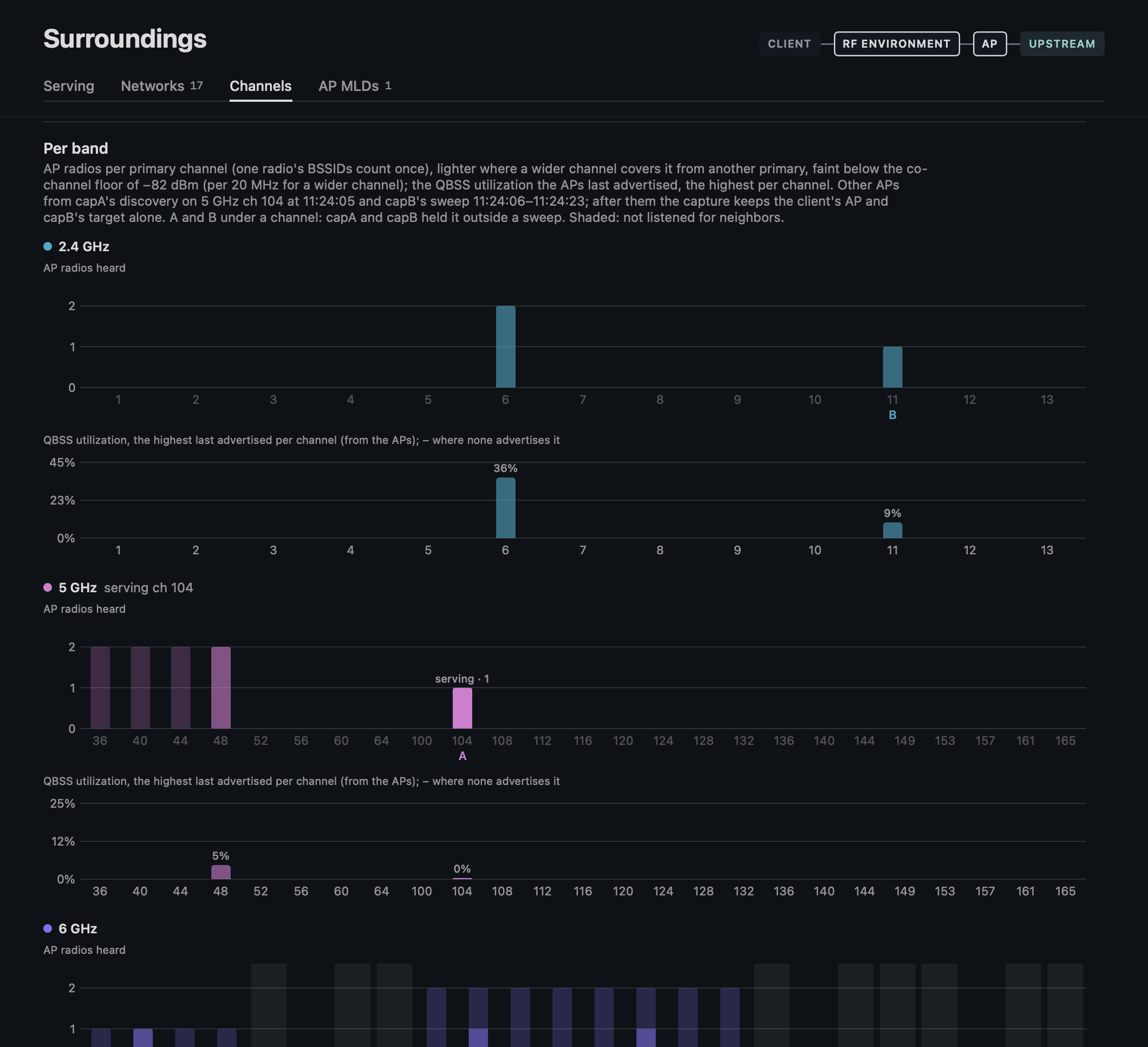
Per band its channel list of the sensor's NL list:
- The AP radios per primary channel, one radio's BSSIDs once, a wider radio also lighter on the 20 MHz channels it covers from another primary, a radio below the co-channel floor faint.
- The serving channel's bar with its counts, "serving · 1 + 3 wider".
- A and B under a channel capA and capB held outside a sweep.
- Shaded a channel the radios never took every beacon on: outside the sweep's list (every 2.4 and 5 GHz channel, the 6 GHz PSCs and the 6 GHz channels the BSS table names) and a discovery's channel.
- The QBSS the APs last advertised, the highest per primary, each bar labeled, "–" for a channel whose radios advertise none, on a scale to 1.25 times the highest, at least 25 %.
AP MLDs
Whether the client's AP is a link of an AP MLD and whether the client uses MLO. Per AP MLD its capabilities from the Common Info of a link's last beacon, EMLSR and EMLMR, the links at a time and TID-to-link mapping, and per link its channel, signal and the radio that heard it last, with when and its frames. The tab shows only where an AP MLD was heard.
Link
Each section has one line of what it shows, how it is counted behind the info button beside its title, every column of its table there. Every tab but Mist counts over the window chosen, with the picker at its top, its charts showing that window.
Delivery
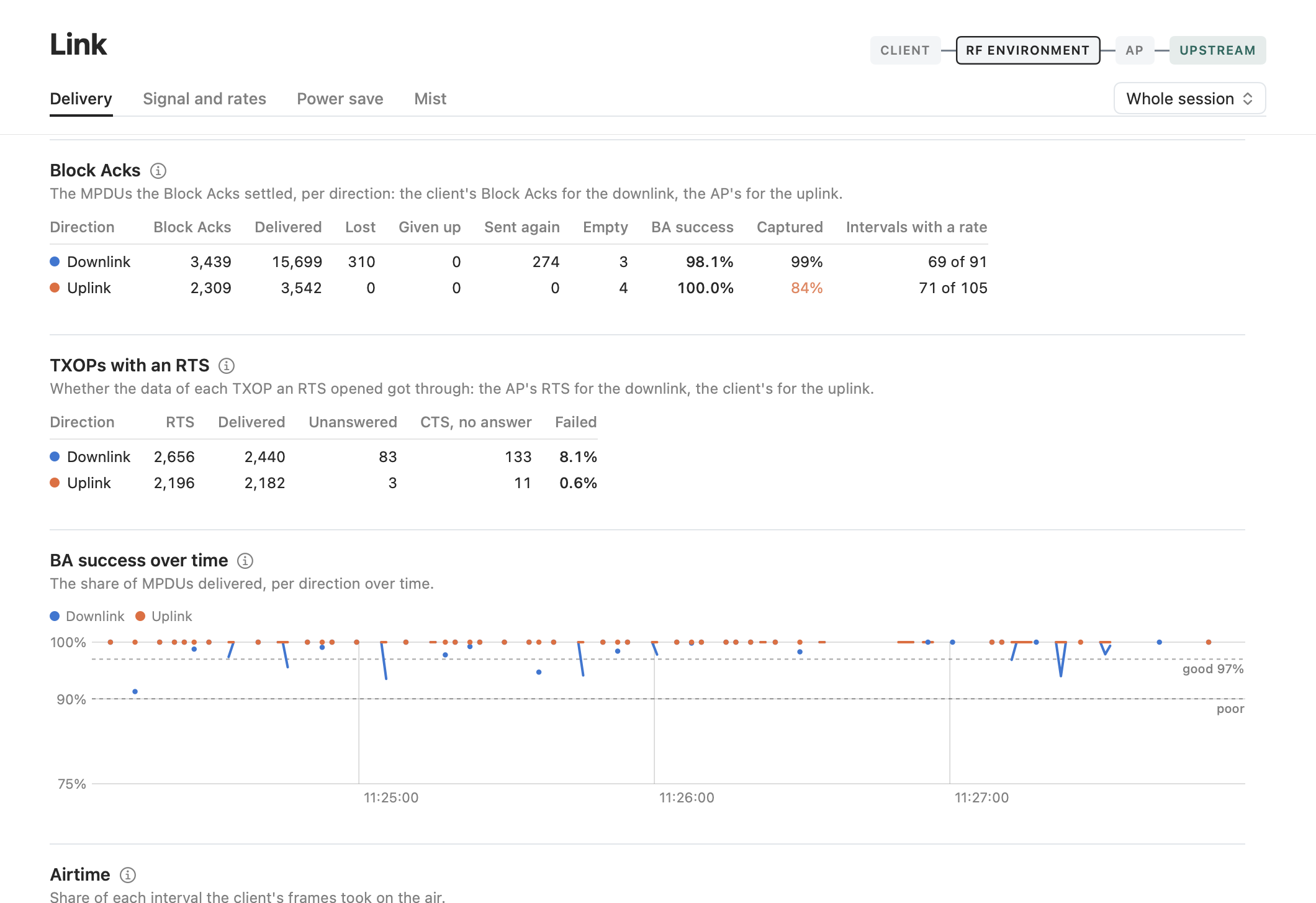
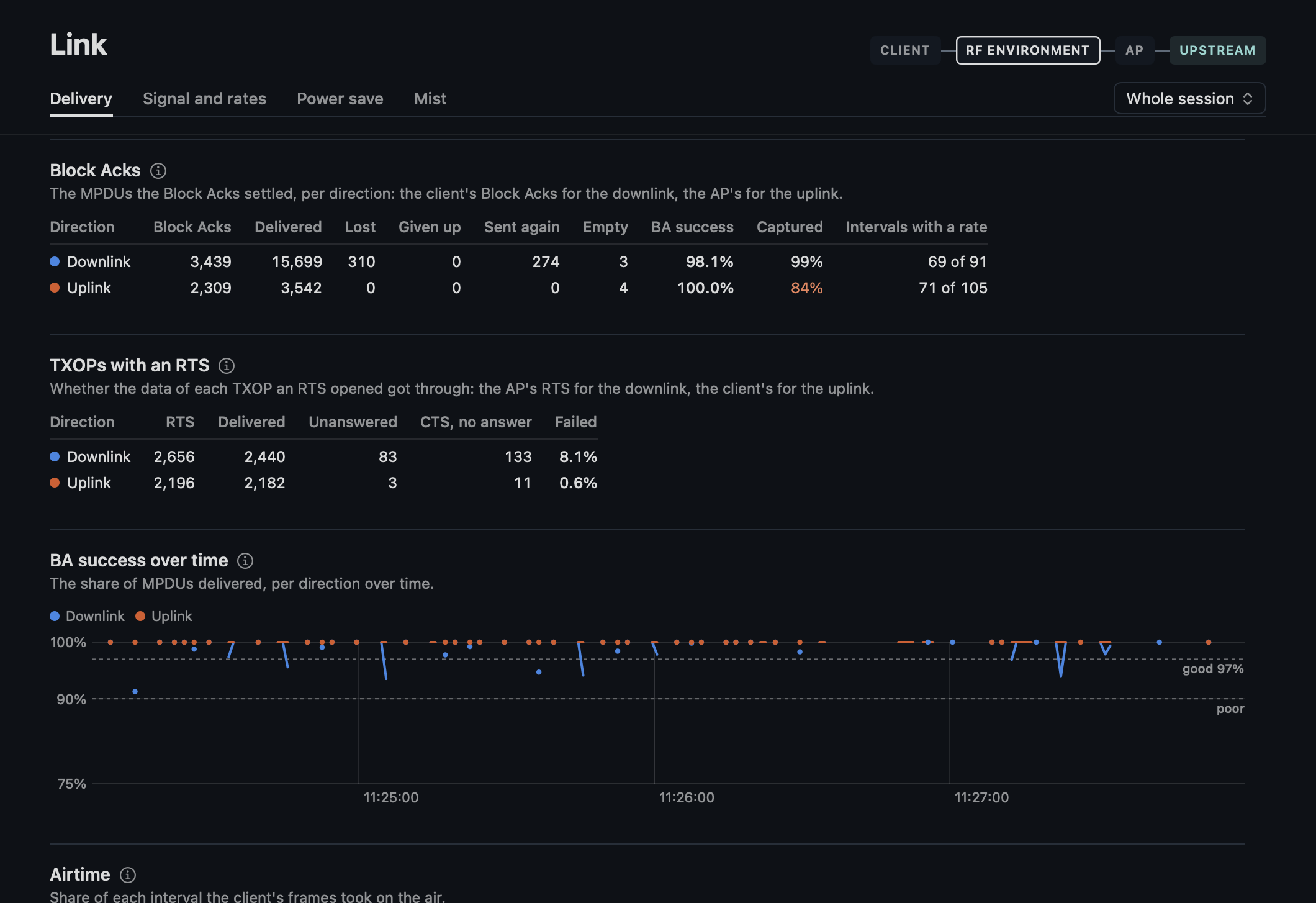
- The Block Acks per direction: delivered, lost (a 0 bit), given up (by a Block Ack Request), sent again (a loss the retry bit confirmed), empty (no acknowledged bit, such as an answer to a Block Ack Request), BA success, captured and the intervals with a rate.
- The TXOPs that start with an RTS per direction, apart from BA success: delivered, unanswered (also a receiver busy, dozing or away), a CTS with no answer and the failed share, from 20 RTS as the hints take it.
- BA success over time: "good" under its 97 % line, out of the intervals near 100 %, and "poor" under its 90 % one where there is room, with the value by the word where the axis leaves the line unlabeled.
- The airtime.
Signal and rates
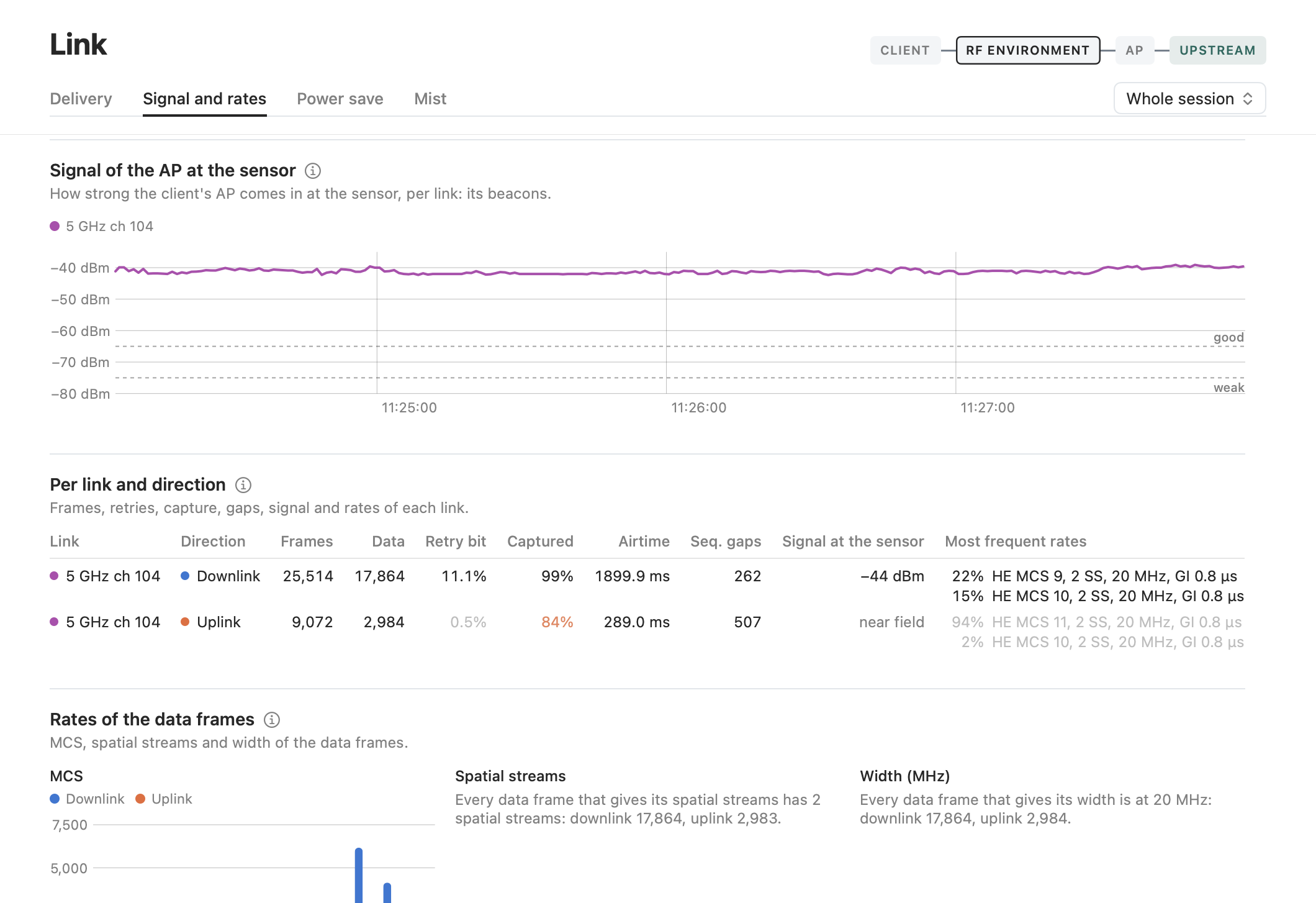
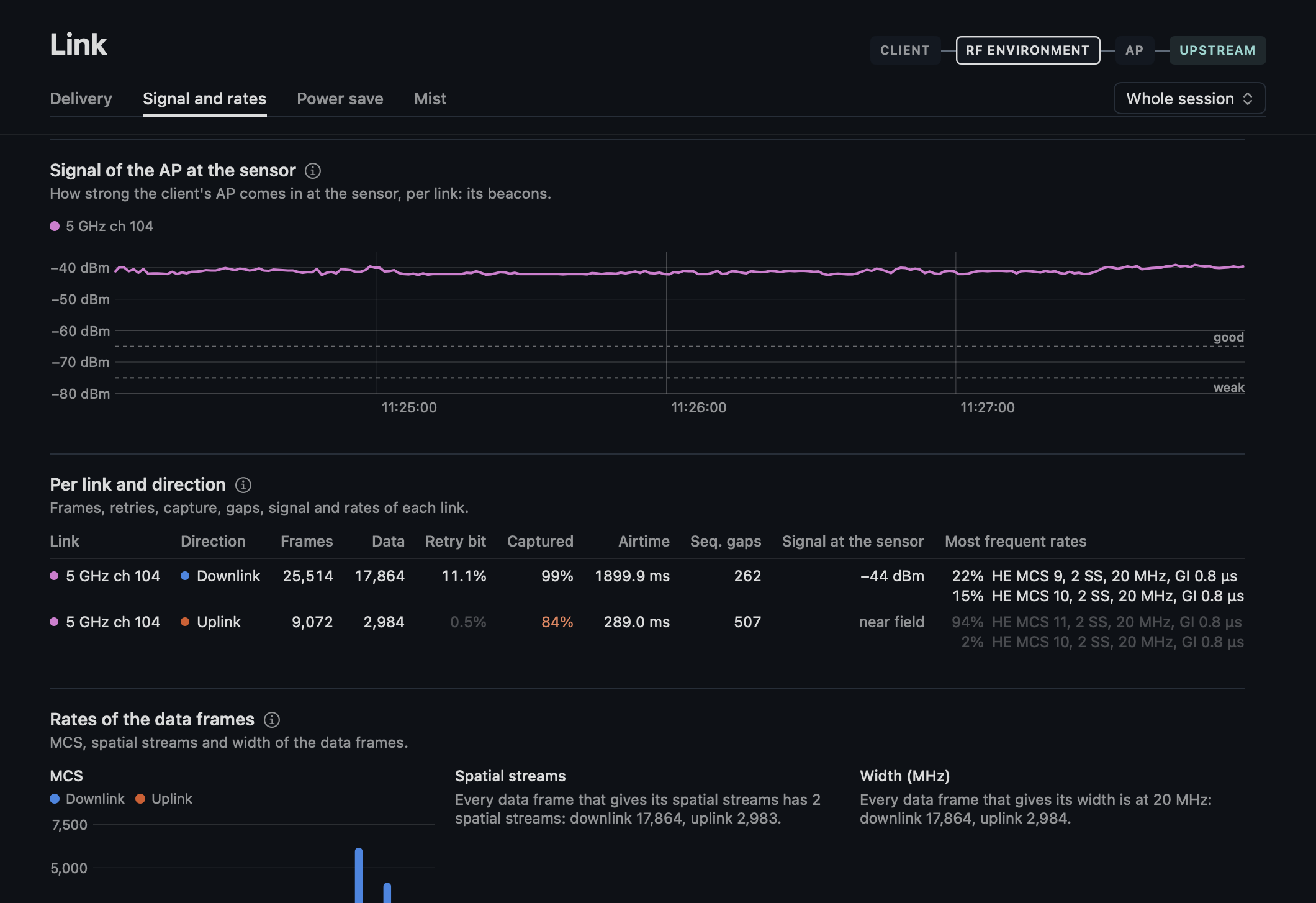
- The client's AP at the sensor, per link from its beacons on its own primary channel, as the coverage readout and the Overview's lane take them, not from its frames to the client, whose signal goes with the rate and a dozing client gets none, with "good" and "weak" on its dashed lines.
- Per link and direction: the frames, the retry bit, the share captured, the airtime, the sequence gaps, the signal at the sensor (the client's own "near field" from −60 dBm with the band's offset, its value when the sensor is away from it) and the two most frequent rates with their share of the data frames.
- The rates of the data frames, with every MCS from 0 and every number of spatial streams from 1 up to the highest in a place of its own, a step without frames a gap, and the widths of 802.11 between the narrowest and the widest, one value alone a line of text.
A direction of which the sensor decoded less than 90 % has its retry bit and rates light, in the table and the bars, with a line saying so.
Power save
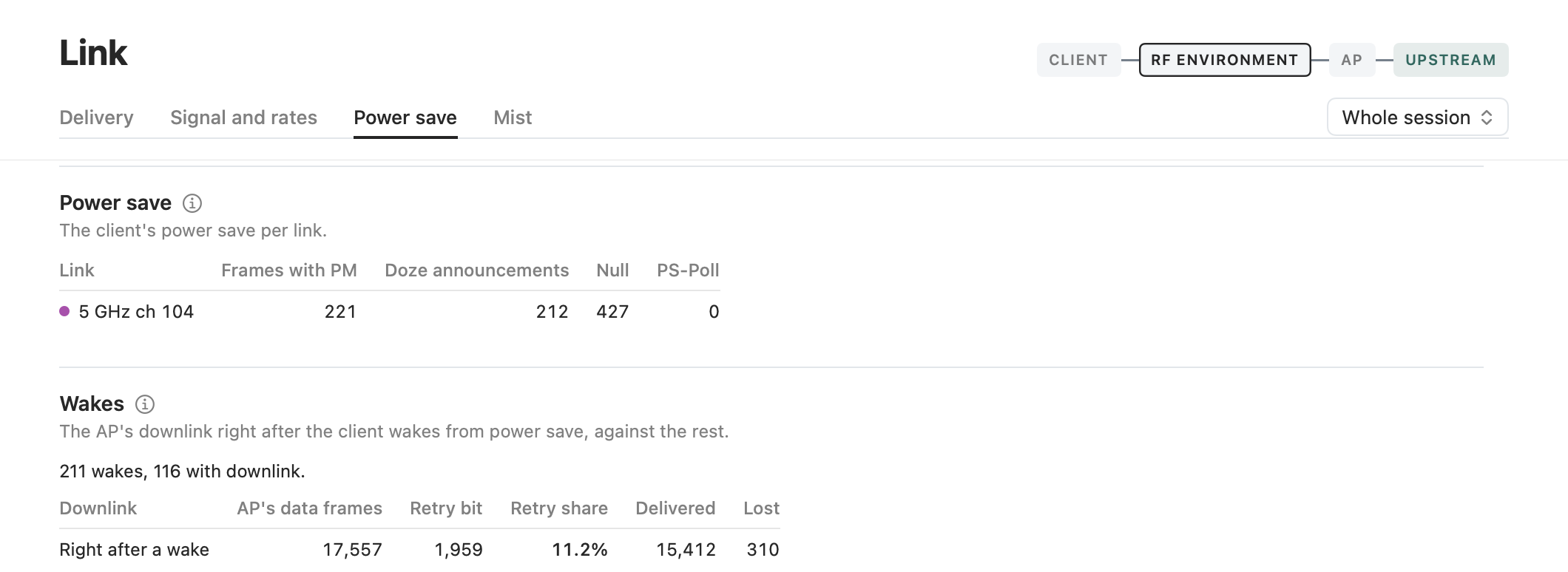
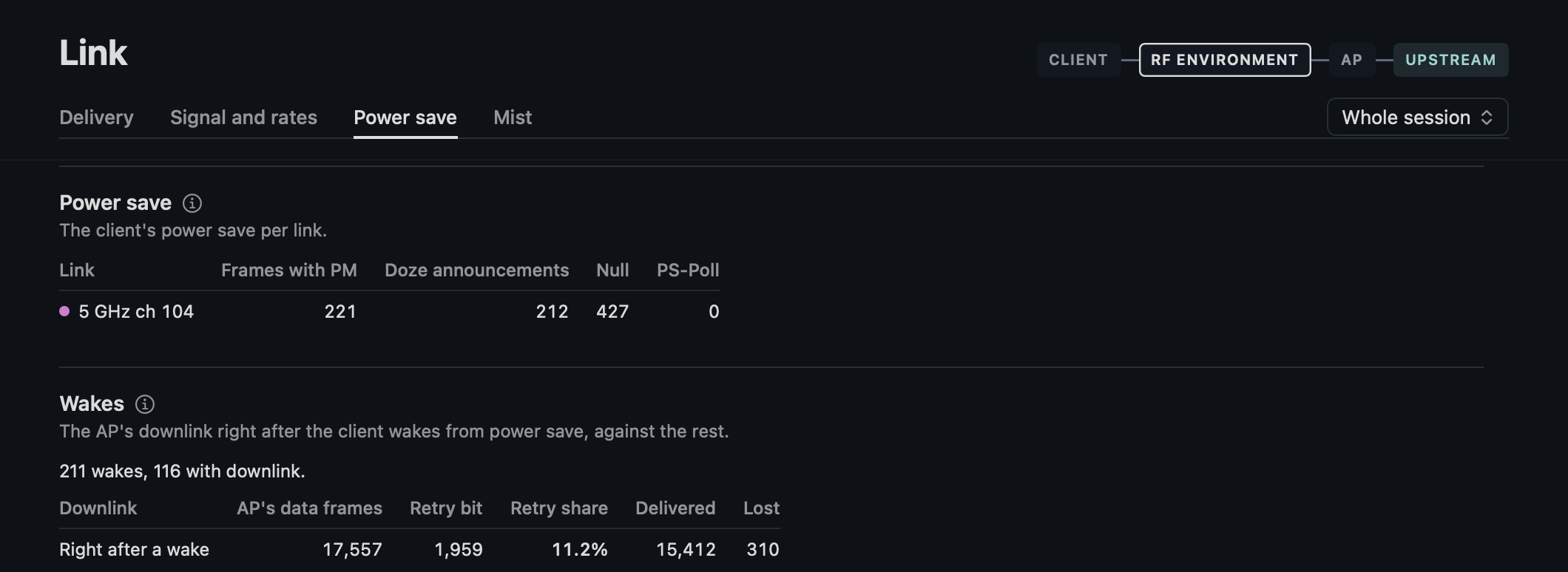
Per link the frames with PM, the doze announcements (the PM bit from 0 to 1, however short the doze), Null and PS-Poll, with OFDMA's triggers and Multi-STA BA entries only once a trigger named the client's AID.
Wakes, the client's as a whole after a doze of at least 1 ms with every link dozing, so fewer than the announcements where a doze was shorter: their number and those with downlink, and the AP's data frames, with the retry bit and its share, and the Block Ack outcomes right after a wake against the rest of the window, to check the note "Sent again after wakes".
Mist
- The stats of the last poll in two columns: the rate tx and the rate rx, of the client's last frame, which reads 24 Mbit/s for a Null; the retries per packet of Mist's last refresh, which a poll that repeats the stats keeps; "Stats from" the time of Mist's record.
- A line that tx is the AP to the client, that the RSSI is the client at the AP and since when the counters count, whatever the window.
- The events by their time, newest first.
- In a replay the polls the session kept, up to the position.
The client's and the AP's details stay in Mist.
Capture
How the session was recorded, and how far its numbers hold.
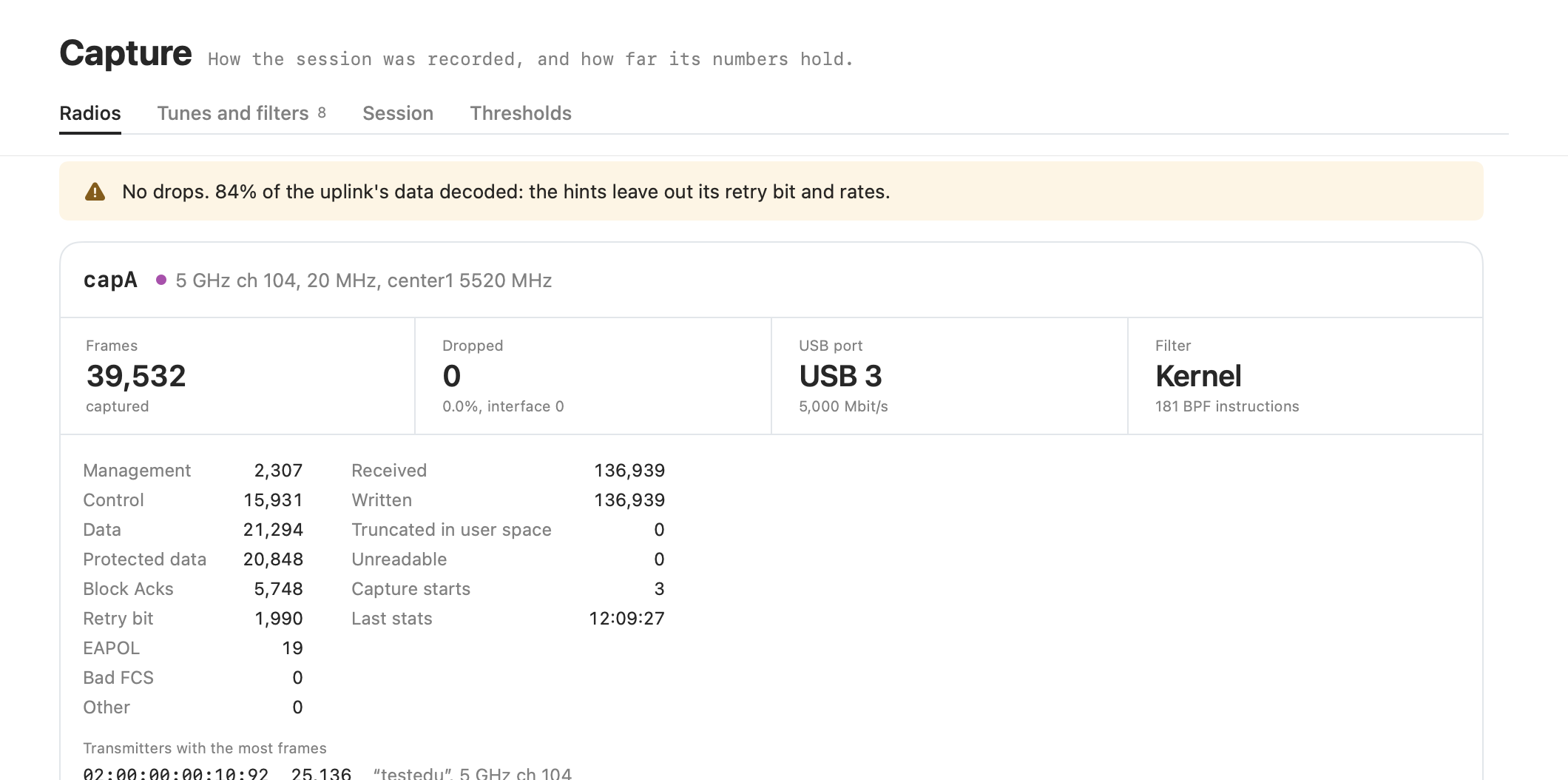
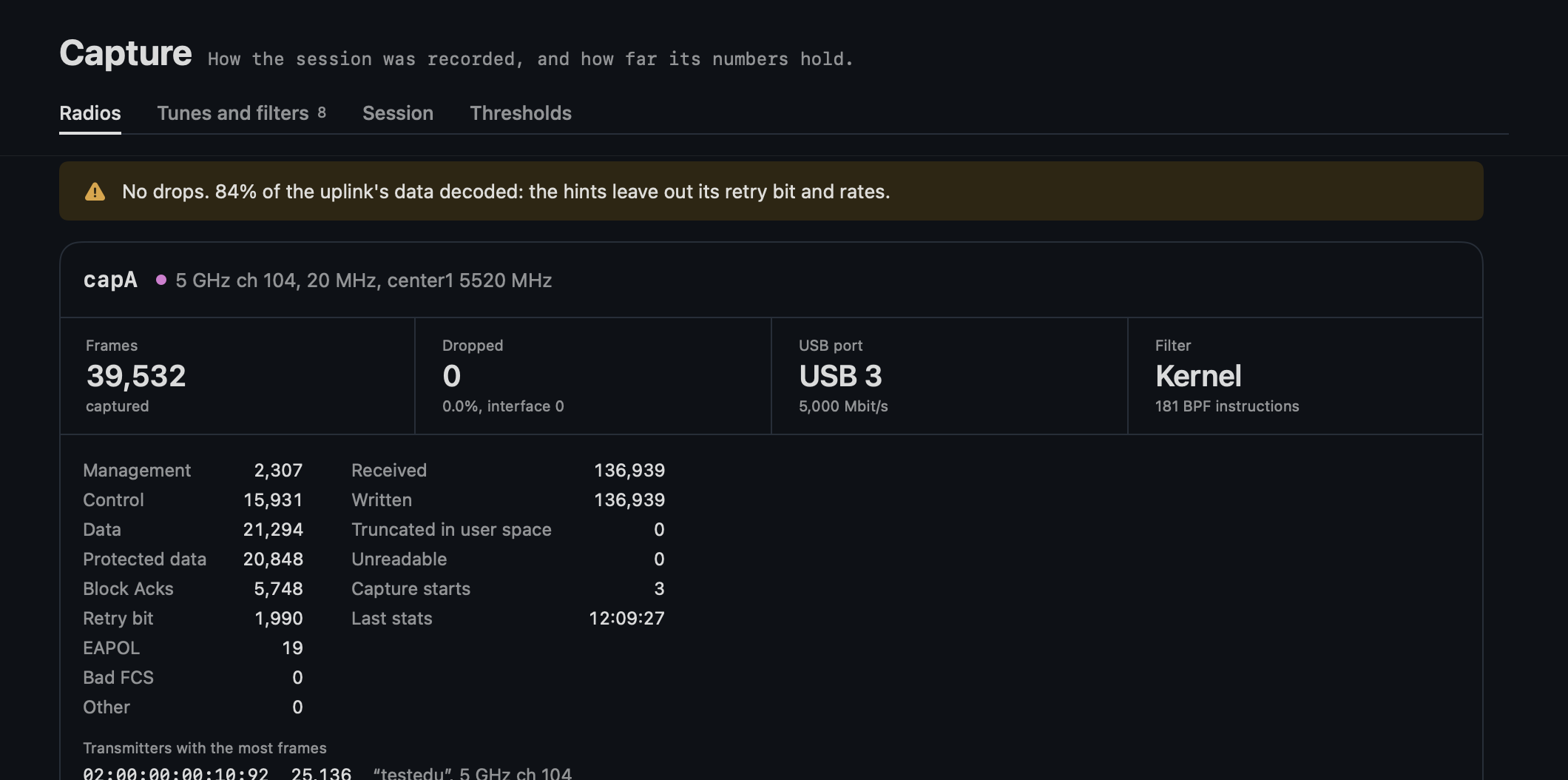
- Radios: a line on how far the capture holds: drops, a USB 2 port on 5 or 6 GHz, the share of the data decoded. While capturing the pipeline per radio, frames per second and lag, and the clock. Per radio its frames, drops, USB port and filter.
- Tunes and filters.
- Session:
session.json, the builds and the clock. - Thresholds.
Opening and playing a recording
- Open a session: File > Open Recording… (⌘O) or drop a session directory on the window. The app decodes it with tshark (Settings: path to tshark) and shows the whole session. A tshark that fails Settings' check still decodes, and Capture says why beside the tshark versions. An open or a live start overtakes one still decoding: the session on screen is the last one asked for.
- Play: the toolbar plays the recording from the start at 1× to 100×, as it would come in live. The slider jumps to a point in time; back means a new run from the start.
Export
File > Export Report and Capture… (⌘E) writes a folder with report.md and capture.pcapng of the whole session, whatever the position.
The report
The report is the hand-back for a ticket, so its first lines are for a reader who was not there: the title (# Linkside report: <client> on <AP>, <day>), one sentence with the outcome, its reason and the window it was judged over (the whole session or the window chosen), and the time zone. Then, in order:
- The findings, the decider first and the notes last, each with its clock time (for a finding about an event) or its window, its text, its lever and its evidence.
- The verdict per question with what stayed untested, its value from the window of the finding that graded it where it has one.
- What the recording lacks (
## What the recording lacks, over the whole session whatever the window): the line of Next after Stop, each lack with what to ask for at the next visit, "Not at the desk:" the limits, the capture statistics among them, and "Without Mist and a reference client." where it had neither. - The session table.
- The technical parts: client profile, metrics with the TXOPs that start with an RTS, whose columns add up to the RTS, the timeline, the channel context, the capture quality.
What it names
The client is named by its hostname and the AP by its Mist name, with the username and the site in the session table, only when the report is made from the live session that had them. A recording's files keep no hostname, username or AP name, so the report of a replay or of linkside-cli export names the client by its MAC address and the AP by its SSID and BSSID, and has no such rows. The AP is the one the client was on at the end of the window judged.
The session table
- It starts with the recording's label, where it has one.
Linksidenames the build that writes the report: the app's version and the commit, with-dirty+and a fingerprint of uncommitted changes, so two builds with different changes at one commit read apart; the commit alone fromlinkside-cli export.Linkside at recordingnames the build that ran the session live when its sources were others, fromsession.json'sapp; "not recorded" for a recording from before 2026-10-24. A replay judges with today's rules and thresholds, and Capture warns of it beside the tshark versions.Sensor softwareis what the sensor ran, from the status at the session's radio check.
The timeline in the report
The Timeline section opens with the story in words, the phases and lines the Timeline pane shows (a failure in bold, a notice in italics, a line of Mist tagged), then the compact log of events (### Events) for the developer; without a story, as in linkside-cli export, the log alone. The story is made from a snapshot of the whole session judged over the window chosen, so it names the same weaker roams as the verdict.
Frame numbers
A frame the report names, in the profile, the events, the 4-way and EAP, is its number in capture.pcapng with its record in the radio's pcap of the recording beside it, 23 (capA.pcap 19). The export merges both radios in time order and leaves out what the truncation rules cannot read, so its numbers follow neither pcap. A frame left out reads not exported (capA.pcap 19).
Shut Down Sensor
File > Shut Down Sensor… asks first, then runs linkside-radio poweroff on the sensor of Settings: the Pi powers off two seconds later and comes back only when its power is cut and connected again. Not while the window's session captures, and not with a simulated sensor. The answer says what the sensor did: shutting down, or why not in linkside-radio's words or ssh's.